Your voice,
stream-ready.
StreamWave is a free, open-source recorder and editor for streamers, podcasters and voice creators. One button to record, one click to sound like a studio, and it stays locked to OBS.
StreamWave is a free, open-source recorder and editor for streamers, podcasters and voice creators. One button to record, one click to sound like a studio, and it stays locked to OBS.
A quick look at StreamWave in under a minute.
▶ Watch on YouTube · more demos on Del's channel
Built for real creator setups: OBS running, Discord open, one mic shared between them.
Record, pause and stop together. Scene changes become markers. Multi-track OBS recordings import as separate tracks.
One click analyses your voice and builds a clean chain: denoise, EQ, de-ess, compress, -16 LUFS. Fully editable.
A rolling buffer keeps the last 60 seconds. Said something great before hitting record? Save it.
Turn a knob and hear it instantly. Exports use the same engine, so the file matches what you heard.
Takes are written continuously and repaired after a crash or power cut. Unplugged mic? Your take is kept.
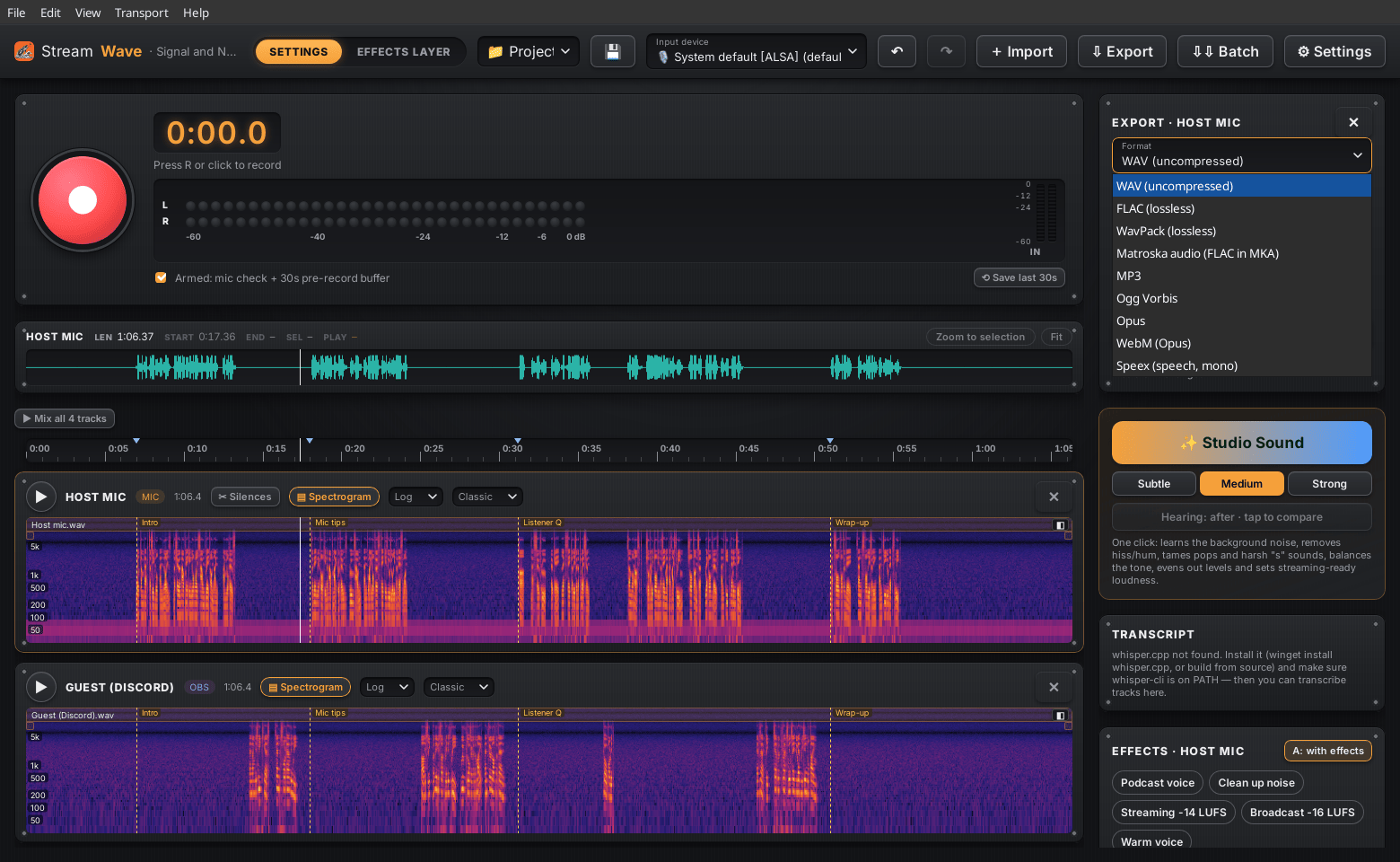
WAV, FLAC, MP3, Ogg, Opus, AAC, AIFF and audio from MP4/MKV in. WAV, FLAC, MP3, Opus, Ogg and more out, with tags.
Never takes exclusive control of your microphone. OBS, Discord and your browser keep working alongside.
Warnings for clipping, too quiet, a dead channel or mains hum, before they ruin a recording.
Cut, copy, paste with full undo. Originals never change. Projects autosave and recover after a crash.
A big effects editor: the track's effects and the clip's layers in a collapsible list, colour-coded modules with knobs.
Blend neighbouring clips at a cut, equal power or linear, without moving anything. Plus drag-to-fade handles.
A zoom-aware time ruler and a preview of the whole track with Zoom to selection. All in a new hardware look.
Drop several files at once: put them one after another on a track, or one track each, lined up. One undo.
Drag clips along the timeline or onto another track, with a ghost, snapping and an exact time readout. No drift.
Give one clip its own effect stack. Reorder, bypass and edit the layers, heard live and exported identically.
Every recording is also written as a −12 dB copy. Clipped a take? Boost the safety file and rescue it.
Set a level threshold: recording starts when you speak and stops shortly after you stop. Ideal for long streams.
Find the pauses on a track in one click, see how many there are, and trim them all in one undoable step.
Every clip gets its own gain and fades. Duck music under a voiceover and smooth punch-ins.
Export every track as a 24-bit WAV in one pass, each brought to −14, −16 or −23 LUFS.
Hear the whole project: every track played together with its effects.
Transcribe takes locally with any whisper.cpp model. Speech-to-text on your machine, no cloud. New in 0.11.2: the Transcript panel can set whisper.cpp up for you, or shows the right install command for your system.
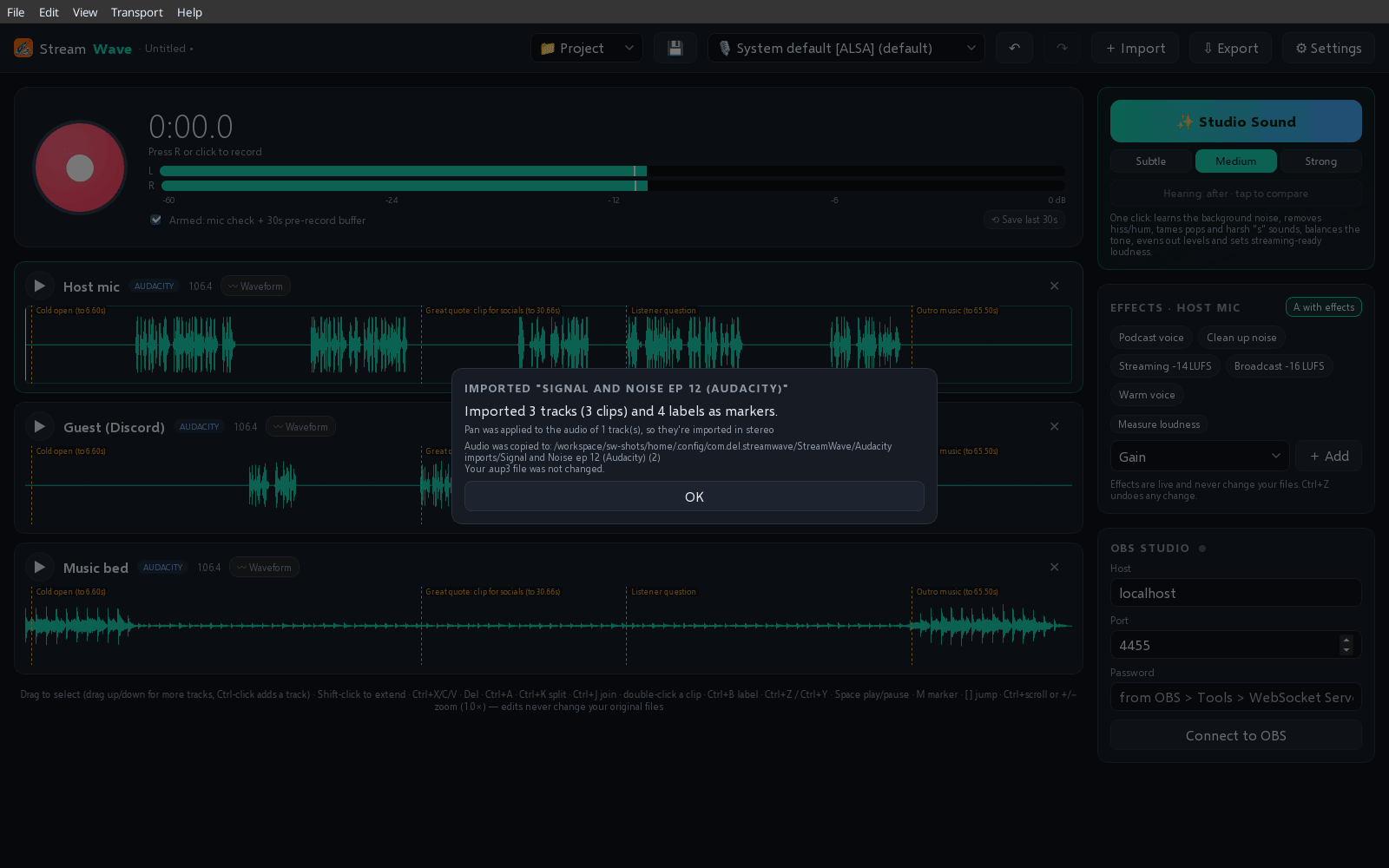
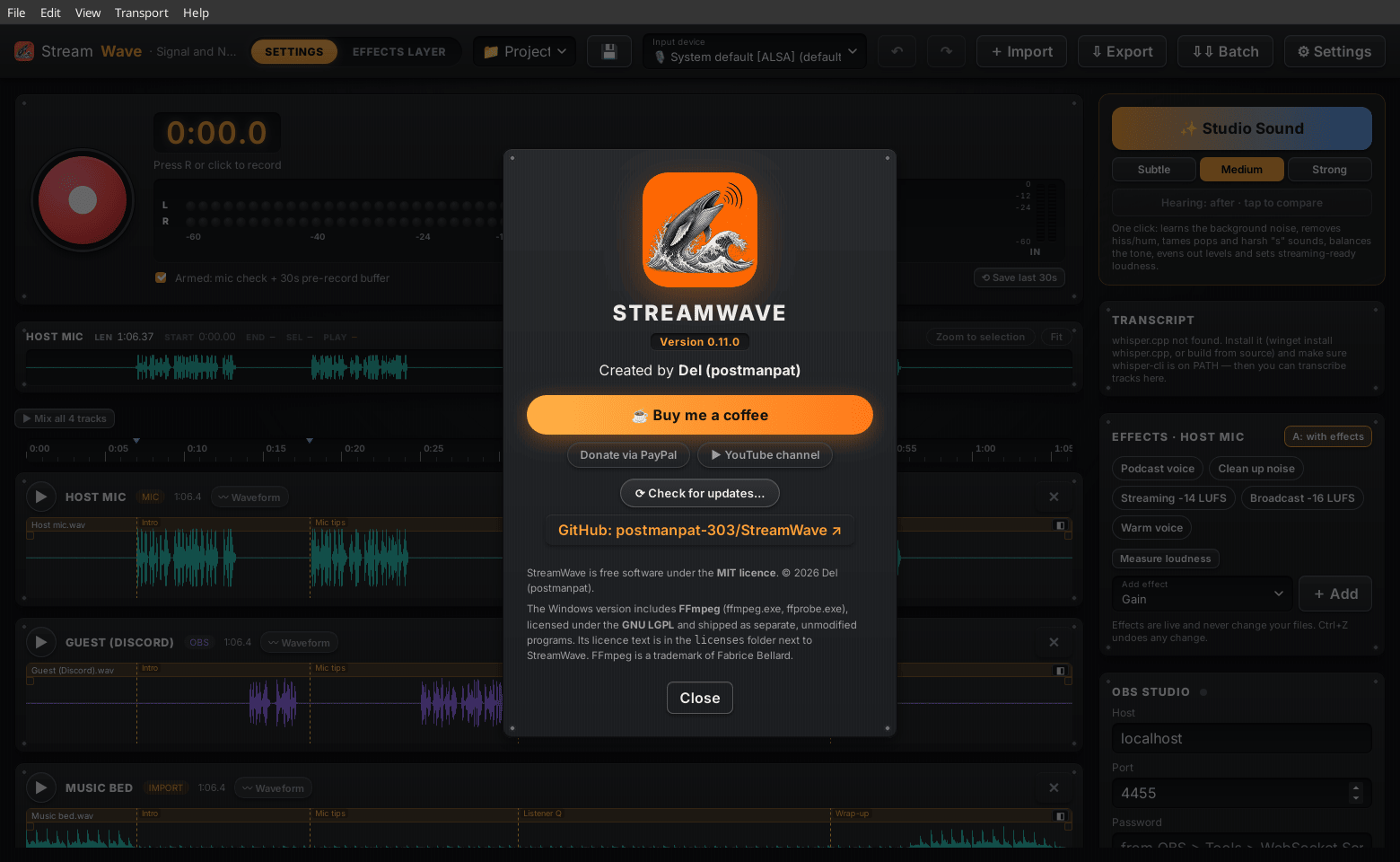
Real screenshots of StreamWave 0.11.0 on Linux, with a demo podcast episode (self-generated voice and music).
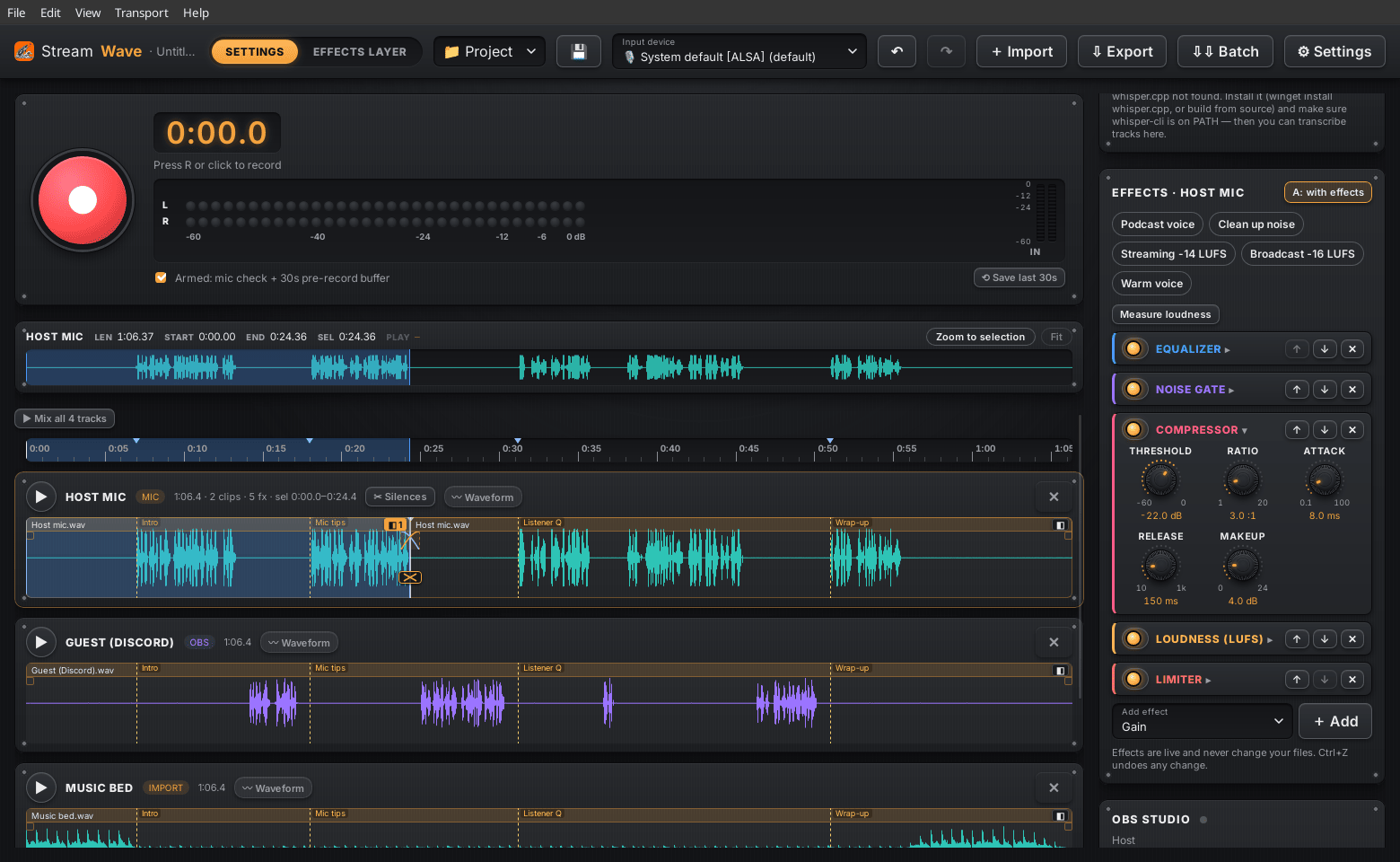
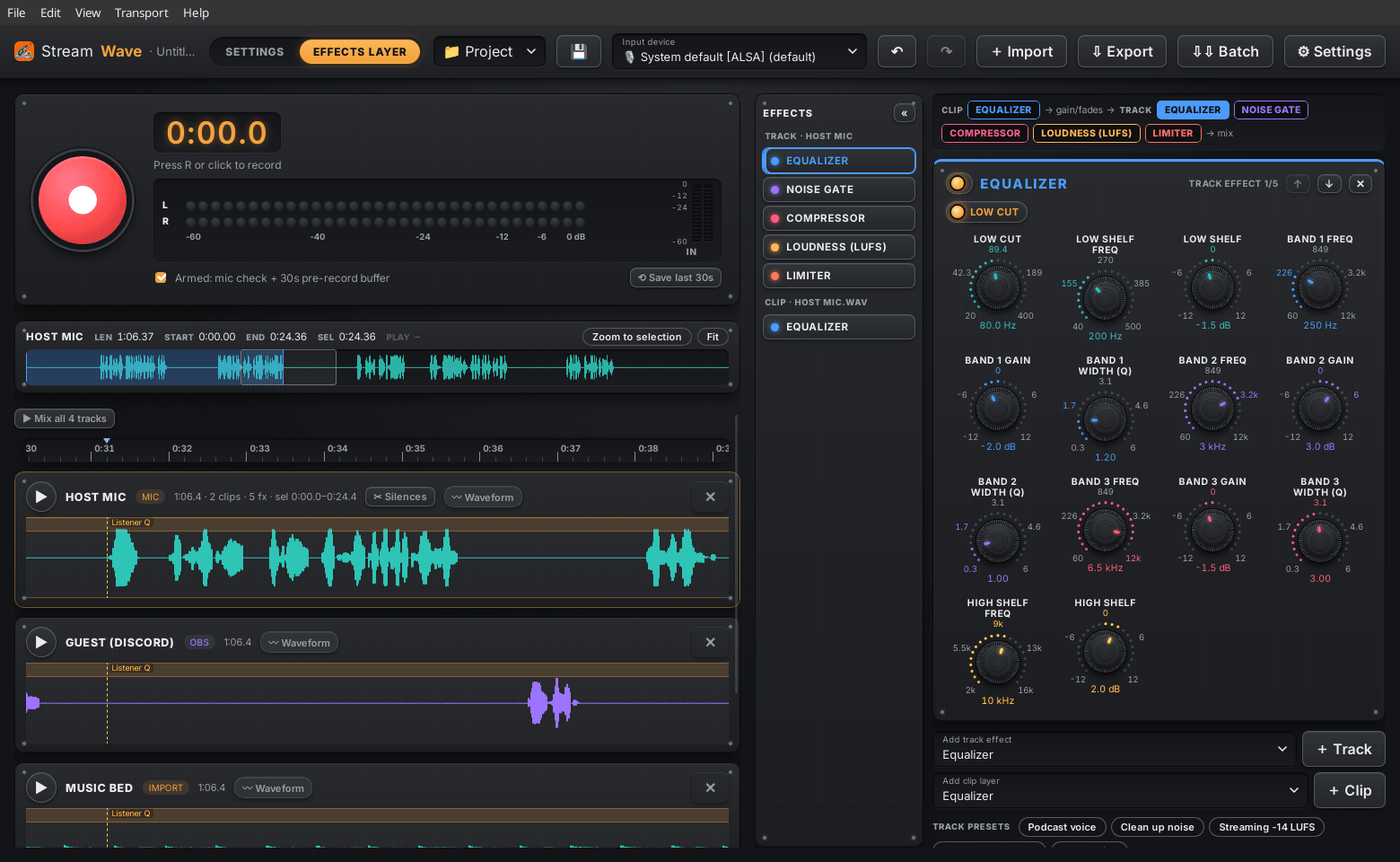
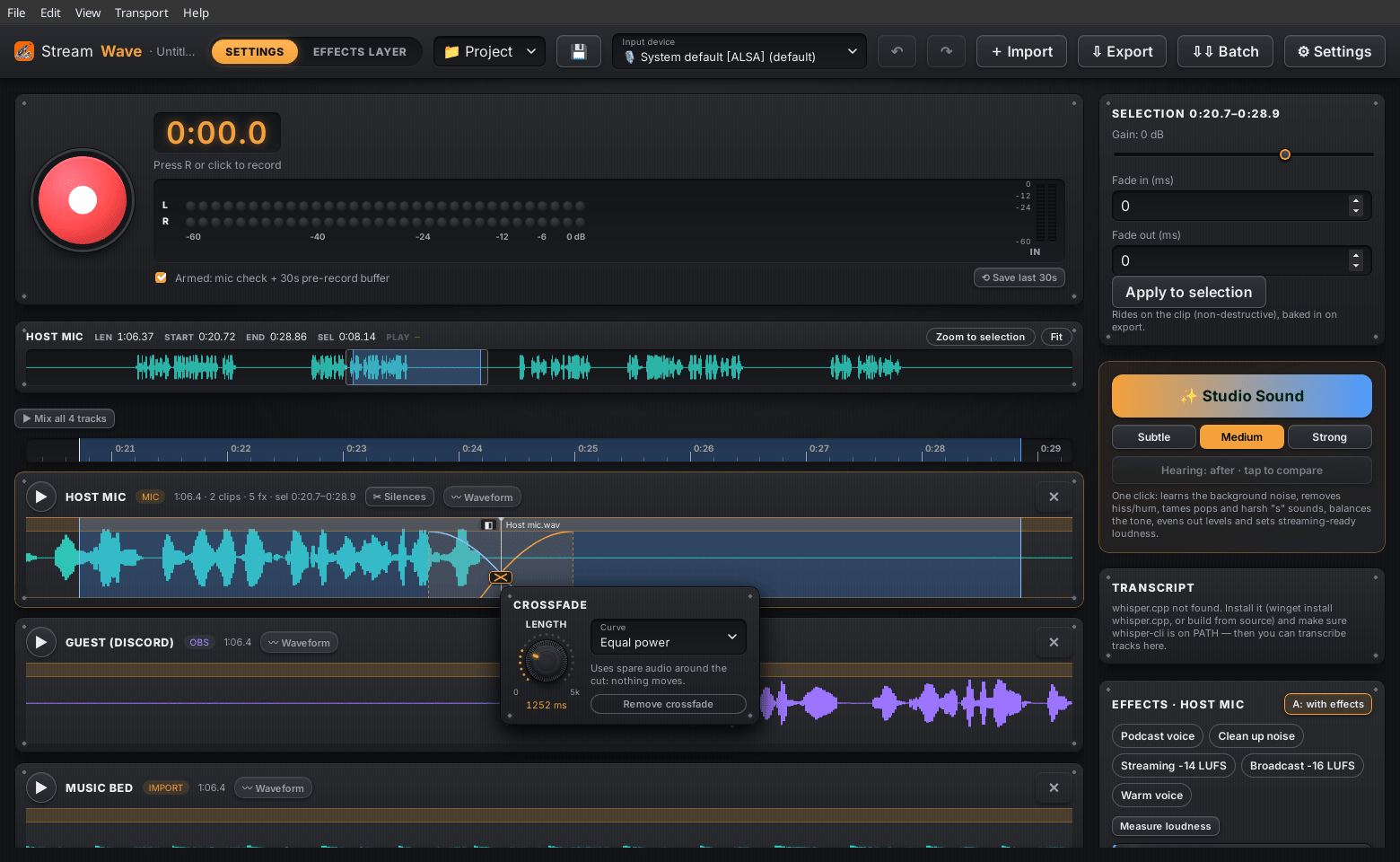
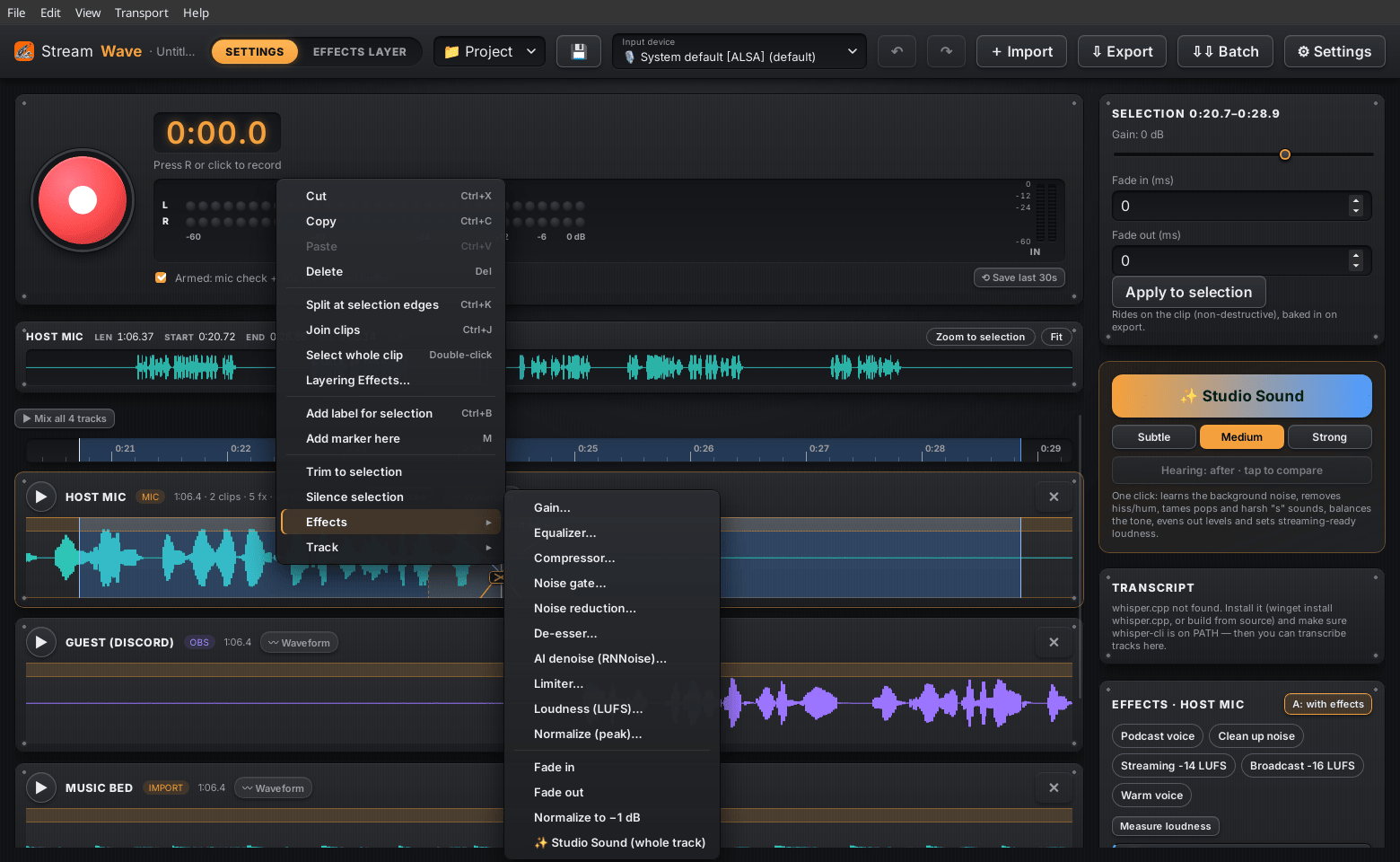
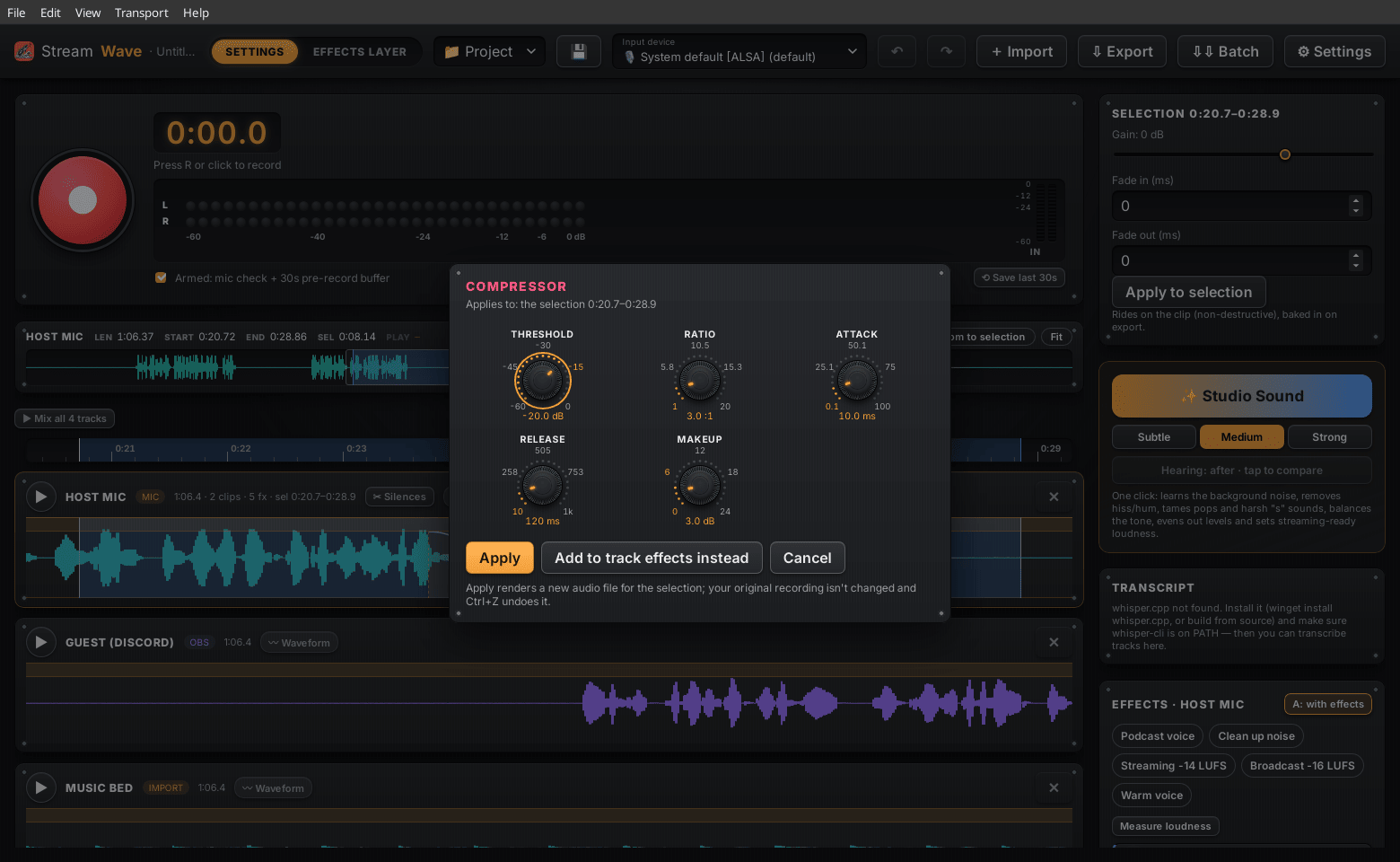
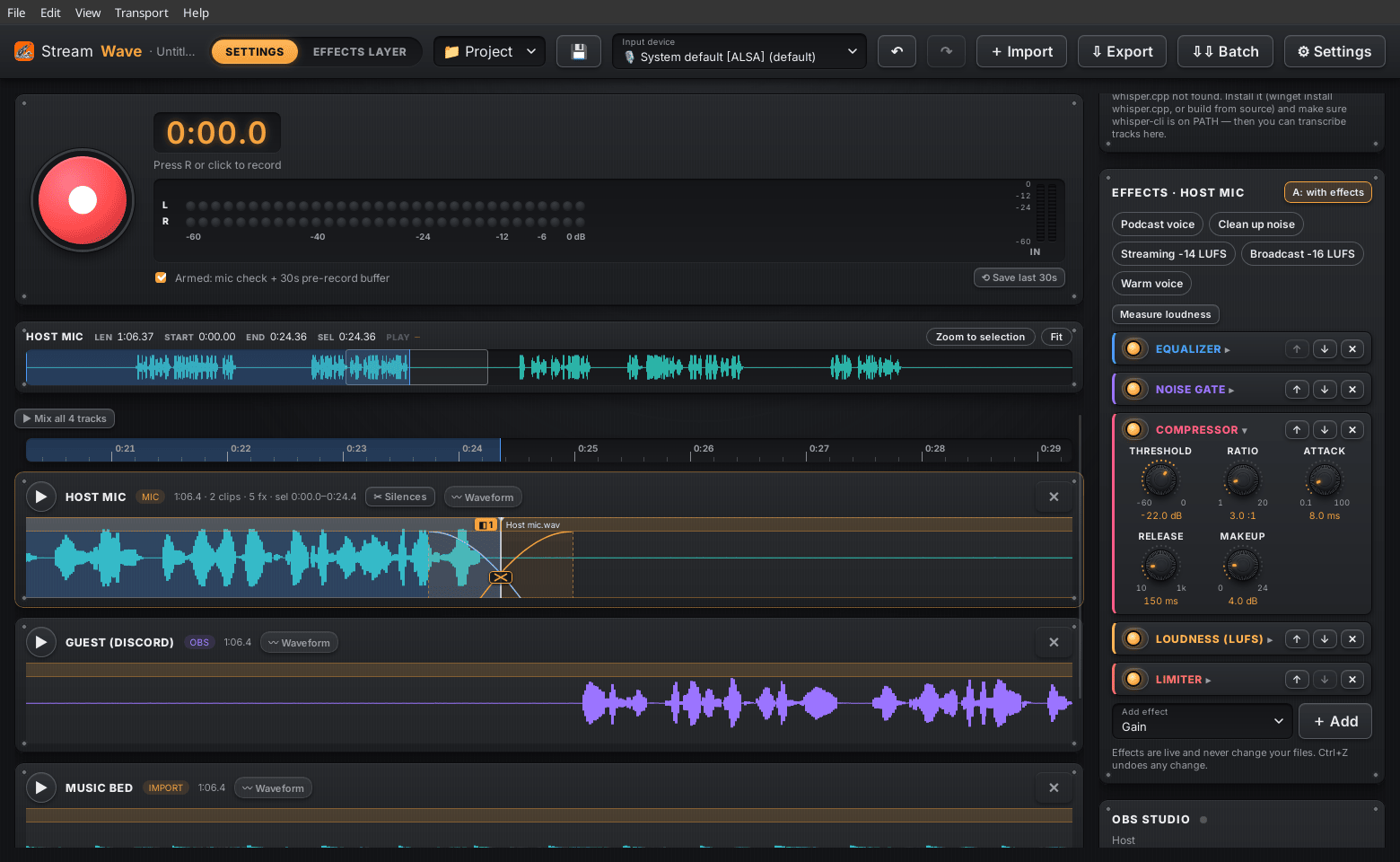
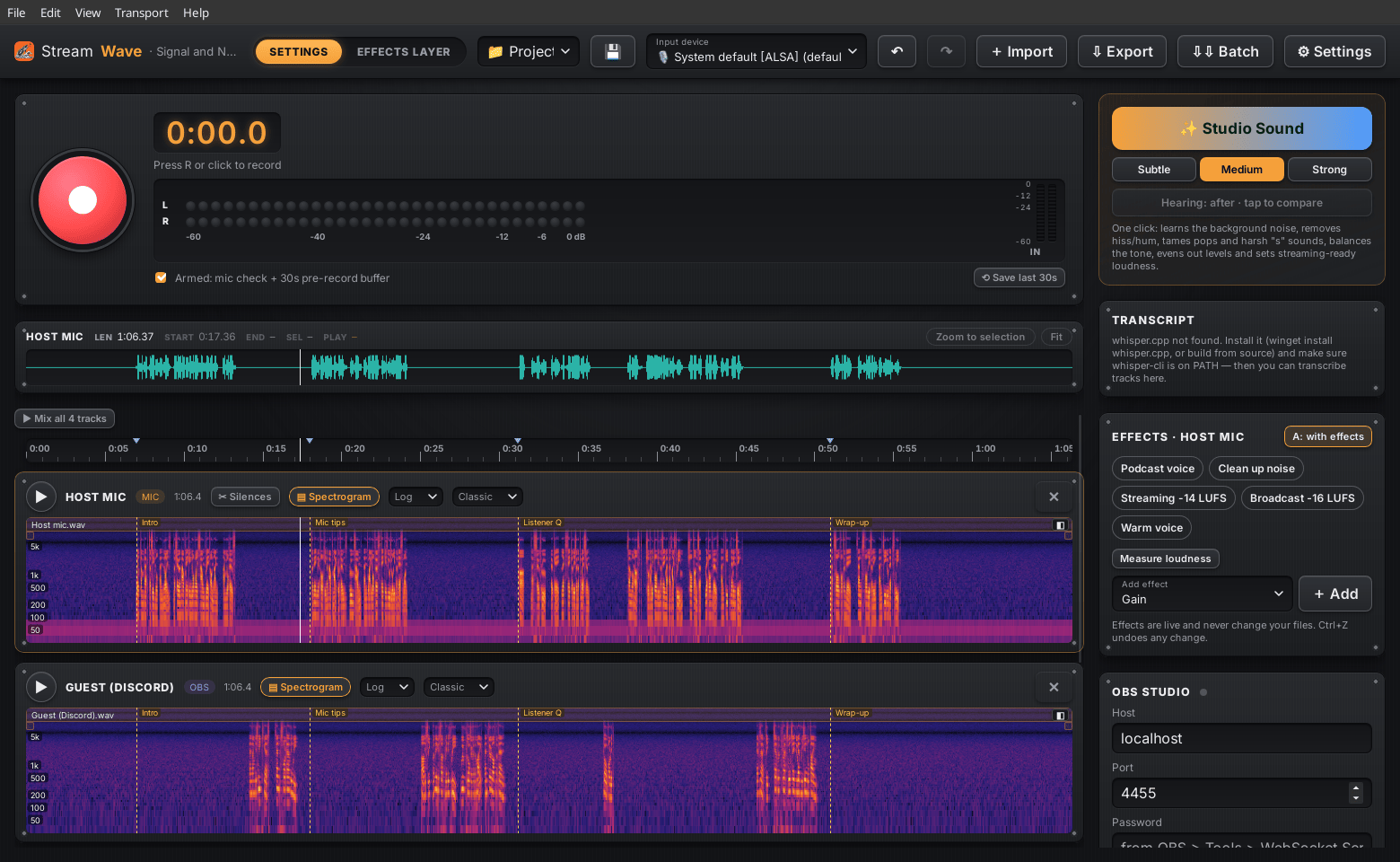
StreamWave talks to OBS 28+ over the built-in WebSocket server. Turn it on in OBS under Tools → WebSocket Server Settings and you're connected.
Classic desktop audio editors are powerful and battle-tested. StreamWave focuses on a creator's everyday workflow.
| Feature | StreamWave | Typical legacy editor |
|---|---|---|
| OBS sync (record together, scene markers) | ✓ Built in | — |
| Import OBS multi-track recordings as separate tracks | ✓ Automatic | Manual |
| Bring in Audacity 3 projects (.aup3) | ✓ Read-only import | Varies |
| Put edited audio back into the video | ✓ One click | — |
| One-click voice cleanup to a loudness target | ✓ Studio Sound | Several separate steps |
| Hear effect changes live while playing | ✓ | Often preview-only |
| Rolling "save the last 60 s" buffer | ✓ | — |
| Recording survives crashes and power cuts | ✓ Auto-repair | Varies |
| Mic shared with Discord/OBS while recording | ✓ Always | Depends on settings |
| Non-destructive editing with full undo | ✓ | ✓ |
| Open formats (WAV, FLAC, MP3, Opus, Ogg) | ✓ | ✓ |
| Free and open source | ✓ MIT | Often |
Coming from Audacity? If you've used Audacity, you'll feel at home, with live effects, OBS sync and recordings that survive a crash. Use File → Import Audacity Project… or drop an .aup3 on the window; your file is only read, never changed. StreamWave isn't a full Audacity replacement (no plug-ins or spectral editing yet). Audacity® is a trademark of its respective owners; StreamWave isn't affiliated with or endorsed by Audacity or Muse Group.
Comparison reflects a typical general-purpose desktop audio editor out of the box, without plugins.
Version 0.11.2 for Windows, Linux and macOS. On Windows and the Linux AppImage the app updates itself from Help → Check for updates; on Mac and with the Linux packages, it tells you about new versions and you install them by hand.
NSIS installer, per-user, FFmpeg included. Updates itself.
64-bit Windows 10 or 11
.deb for Debian/Ubuntu/Mint, .rpm for Fedora/openSUSE, .pkg.tar.zst for Arch/CachyOS/Manjaro, or the AppImage for any distro (the AppImage updates itself). Install FFmpeg from your package manager.
64-bit (x86_64), PipeWire, PulseAudio or JACK
One universal .dmg for Apple Silicon and Intel Macs. For MP3/FLAC export: brew install ffmpeg. Updates are manual for now.
macOS 11 Big Sur or later, Apple Silicon (M1+) or Intel
🛡 Windows: the installer isn't code-signed yet. If SmartScreen appears, click More info → Run anyway.
🐧 Linux install: sudo apt install ./StreamWave-0.11.2-linux-x86_64.deb · sudo dnf install ./StreamWave-0.11.2-linux-x86_64.rpm · sudo pacman -U ./StreamWave-0.11.2-linux-x86_64.pkg.tar.zst · or chmod +x the AppImage and run it. Package installs update by installing the new package; the app tells you when there is one.
🍎 Mac, first launch: drag StreamWave into Applications. It isn't notarised by Apple yet, so the first time right-click (or Control-click) the app, choose Open, then Open again. On newer macOS (Sequoia 15+), go to System Settings → Privacy & Security and click Open Anyway. After that it opens normally. To update, download the new .dmg and replace the app in Applications.