Watch the promo
A quick tour of ChipWave Studio, free for Windows, Mac and Linux.

▶ Watch on YouTube · Watch the Short · more demos on Del's channel
NEW IN 0.2.20.0
Text that fits, and modulation you can see
No more labels piled on top of each other or cut off mid-letter, on a laptop screen or a big one, and knob modulation markers that stand out in every theme and knob style. Your songs open, play and render exactly as before.
Text that fits
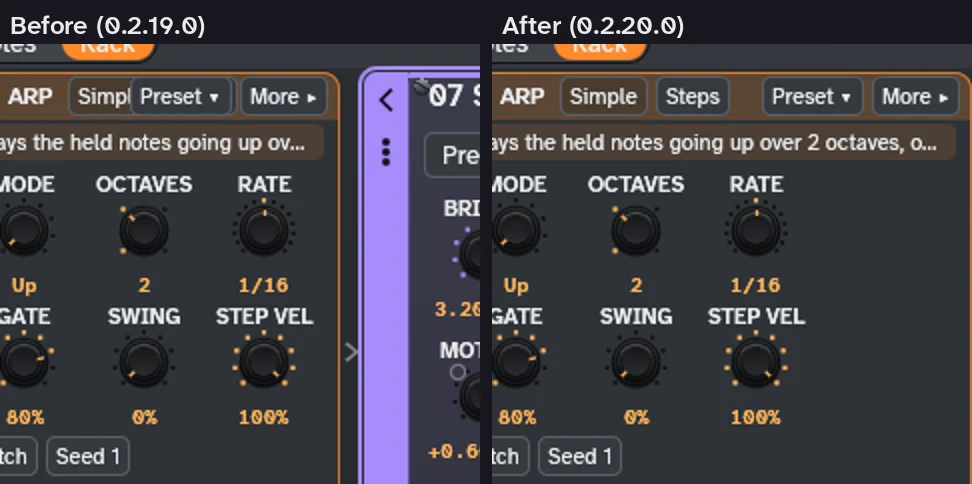
- The Arp card's header in the Rack fits at 1366×768 and narrower: Simple and Steps no longer hide under Preset and More, and the text stays full size.
- Timeline markers on the same beat share one label, and clip, marker and scene names end in … instead of being cut mid-letter.
- Arranger role badges, automation scale labels, the Browser's empty-list hint, the FM algorithm picture and instrument card choices no longer overlap. Every main view was checked at 1366×768 and 1600×900.
Modulation you can see
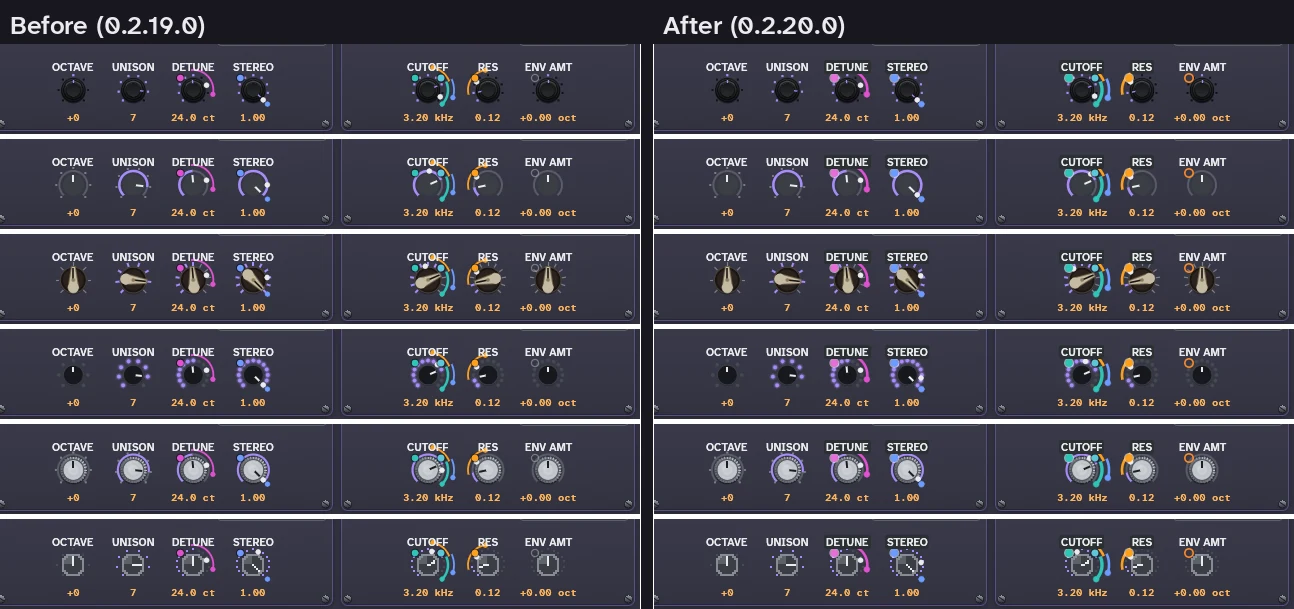
- The M1–M8 badges and dots on knobs use the theme's accent colour at a readable contrast, in every theme.
- The dot is filled once a modulation is assigned, and hollow when it isn't.
- The modulation rings are thicker and brighter, in all six knob styles, and so are the depth bars in the Modulate view.
New in 0.2.19.0: a movable top bar, The Matrix theme and knob styles (below). See the changelog.
NEW IN 0.2.19.0
A movable top bar, The Matrix theme and knob styles
Put the top bar's panels in the order you like, try a phosphor-green theme, and pick how every knob looks, with a live sample of each. Your songs open, play and render exactly as before. Includes the 0.2.18.1 installer fix.
A top bar you can rearrange
- The top bar is three panels: the Display, the Transport and the Master. Drag one by the grip at its left edge to move it. The order is saved.
- The Transport sits in the centre of the window, all three panels are the same height, and Reset top bar in Settings > Look puts everything back.
- An in-between display size fits 1366-pixel-wide screens before it goes compact. MIDI, Chord, the keys and Panic now sit at the right of the menu bar.
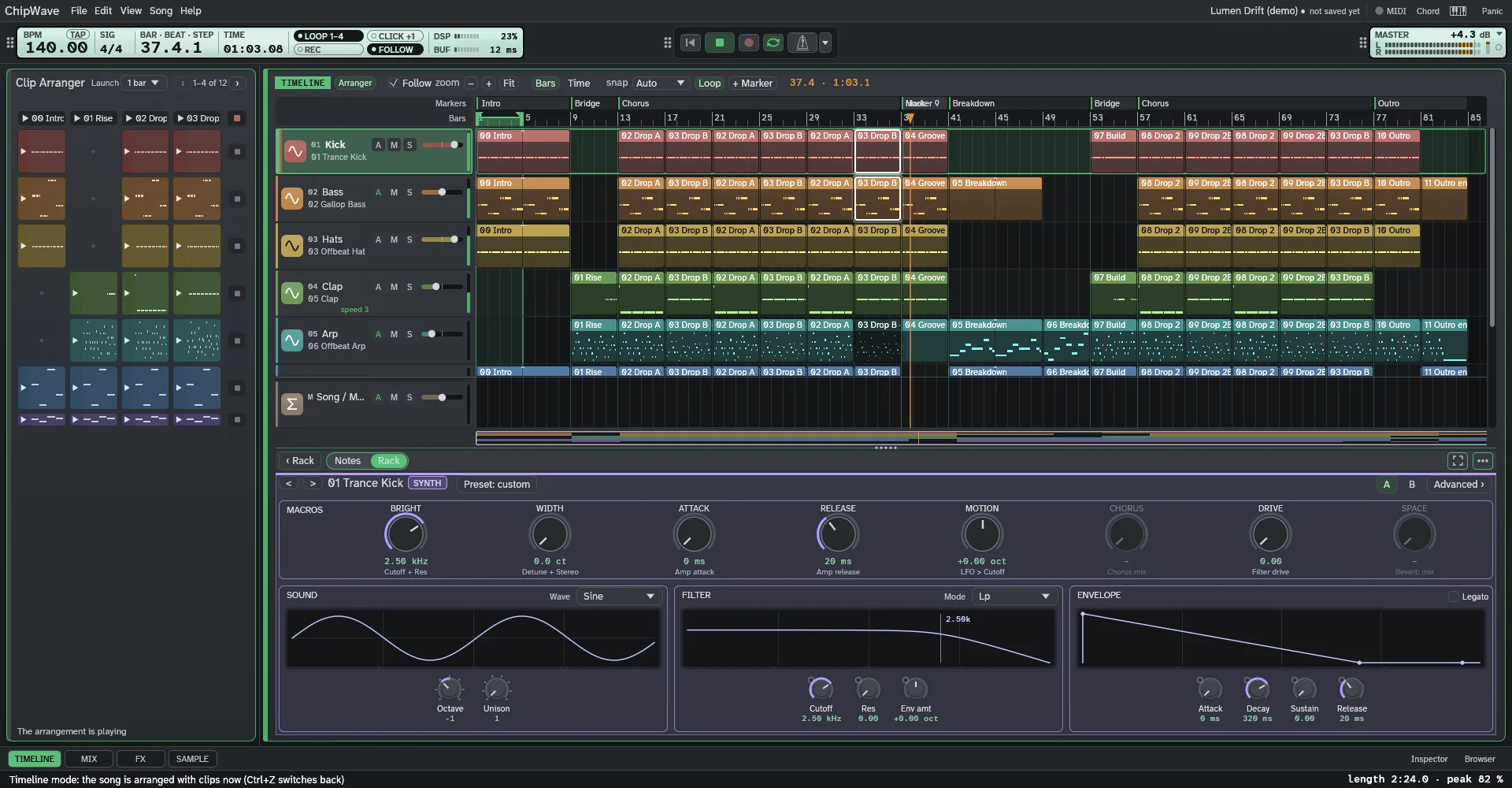
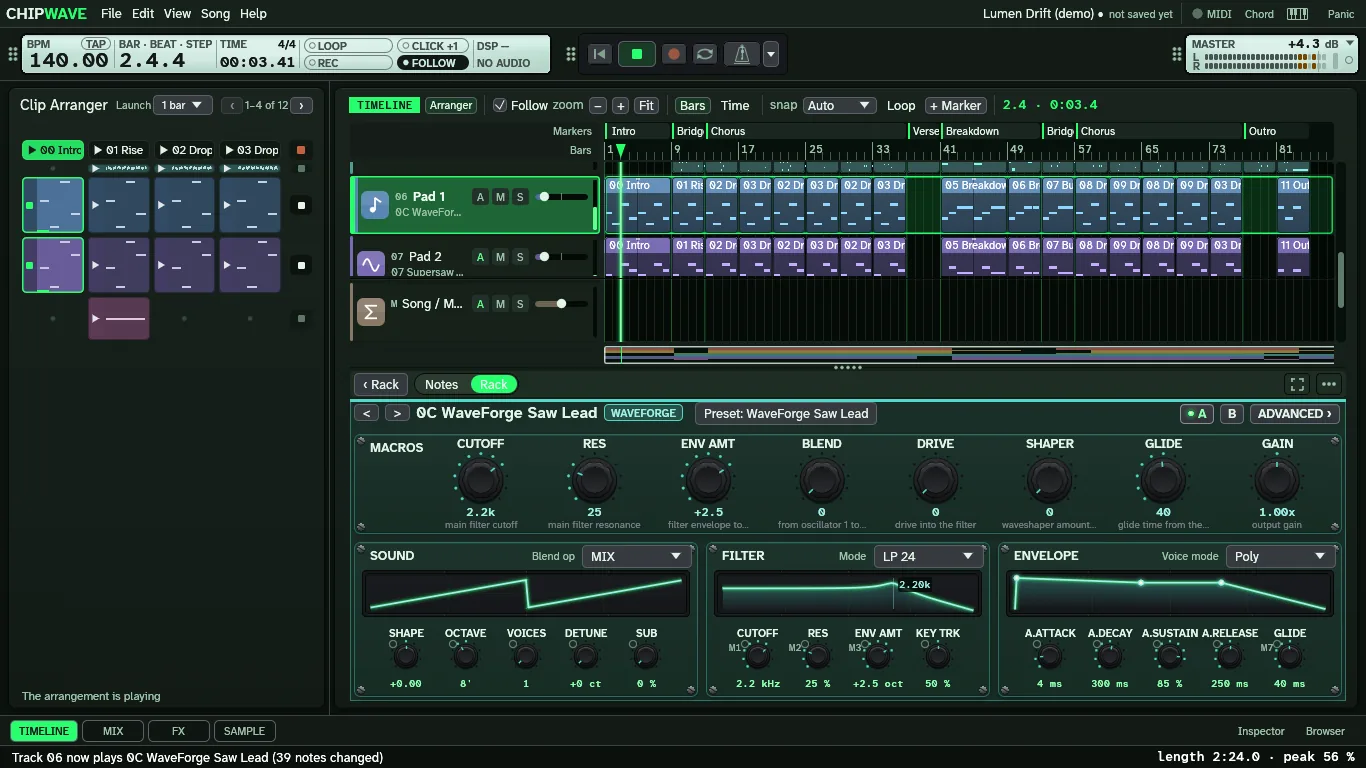
The Matrix, and six knob styles
- The Matrix: Slate's studio look in phosphor green on near-black, with teal panels for ChipWave's own instruments.
- Knob style in Settings > Look: Classic, Flat ring, Chicken-head, LED ring, Brushed metal or Pixel, for every knob. Each option shows a small live knob in that style.
- The user manual always shows the version you have, with new pages on the top bar, The Matrix and the knob styles. Read the manual online →
New in 0.2.18.0: the Arp, an adjustable loop and Ctrl+drag copies. See the changelog.
A modern music studio with a retro soul
Everything here is in the app today. Written in Rust with egui and cpal, with up to 32 tracks per song.
Timeline & clips
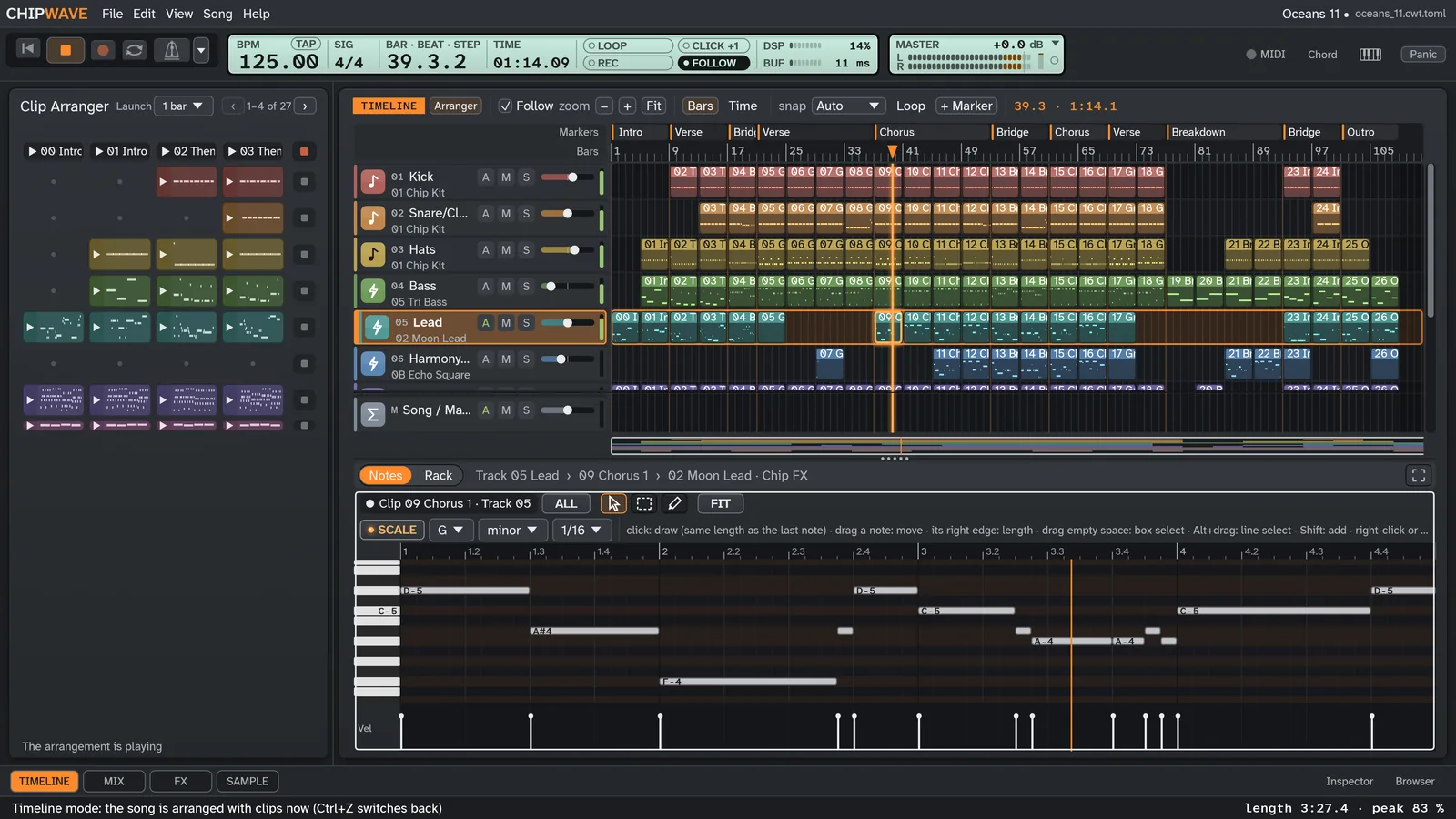
Arrange your song as clips on a Timeline with section markers, loop and snap. A drop preview shows where a clip lands, linked copies (×N) change together, and right-click pies keep the common jobs close.
Clip Arranger
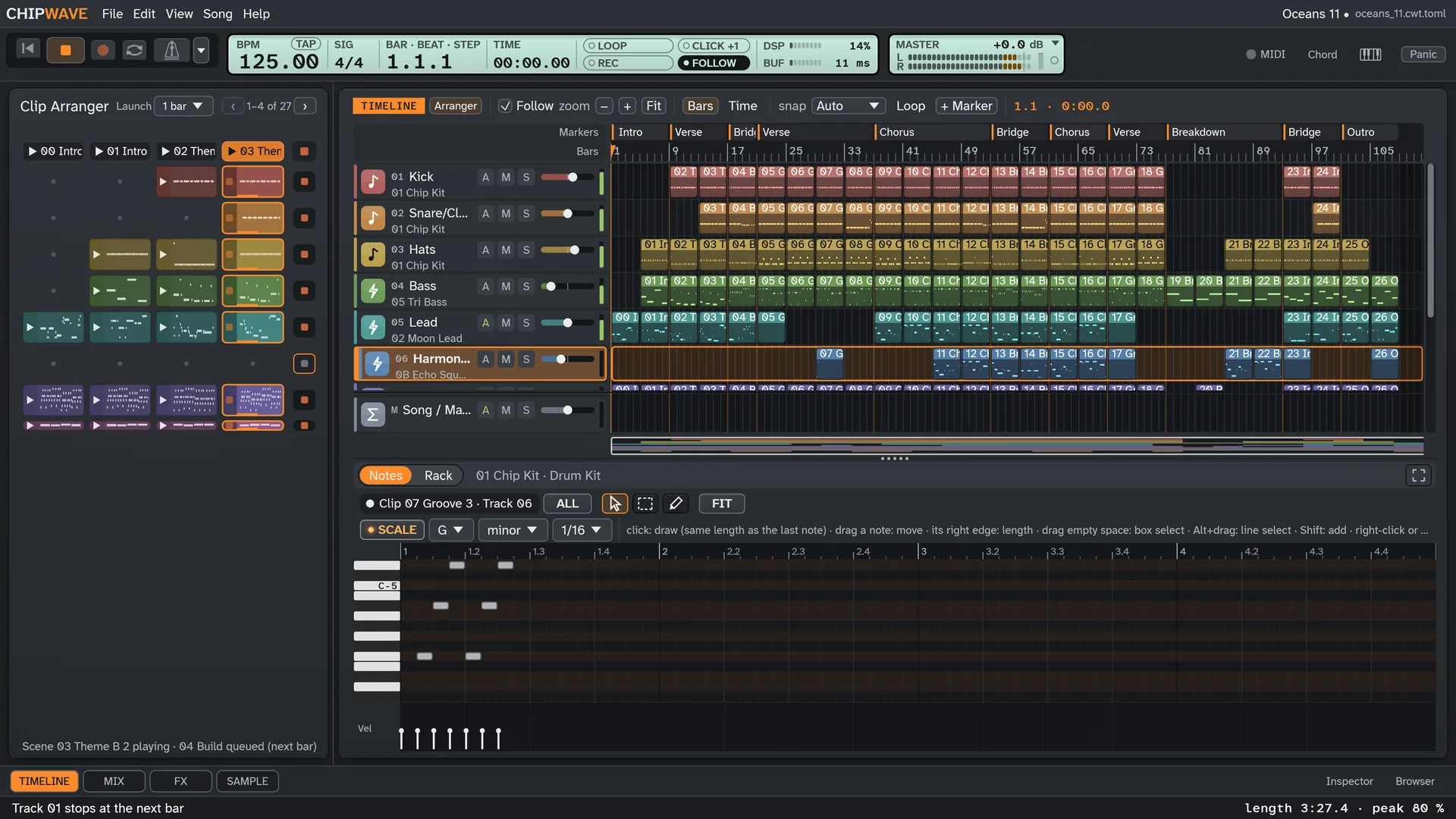
Launch clips and whole scenes per track to try ideas against each other while the song plays, then drag the keepers onto the Timeline.
Piano roll
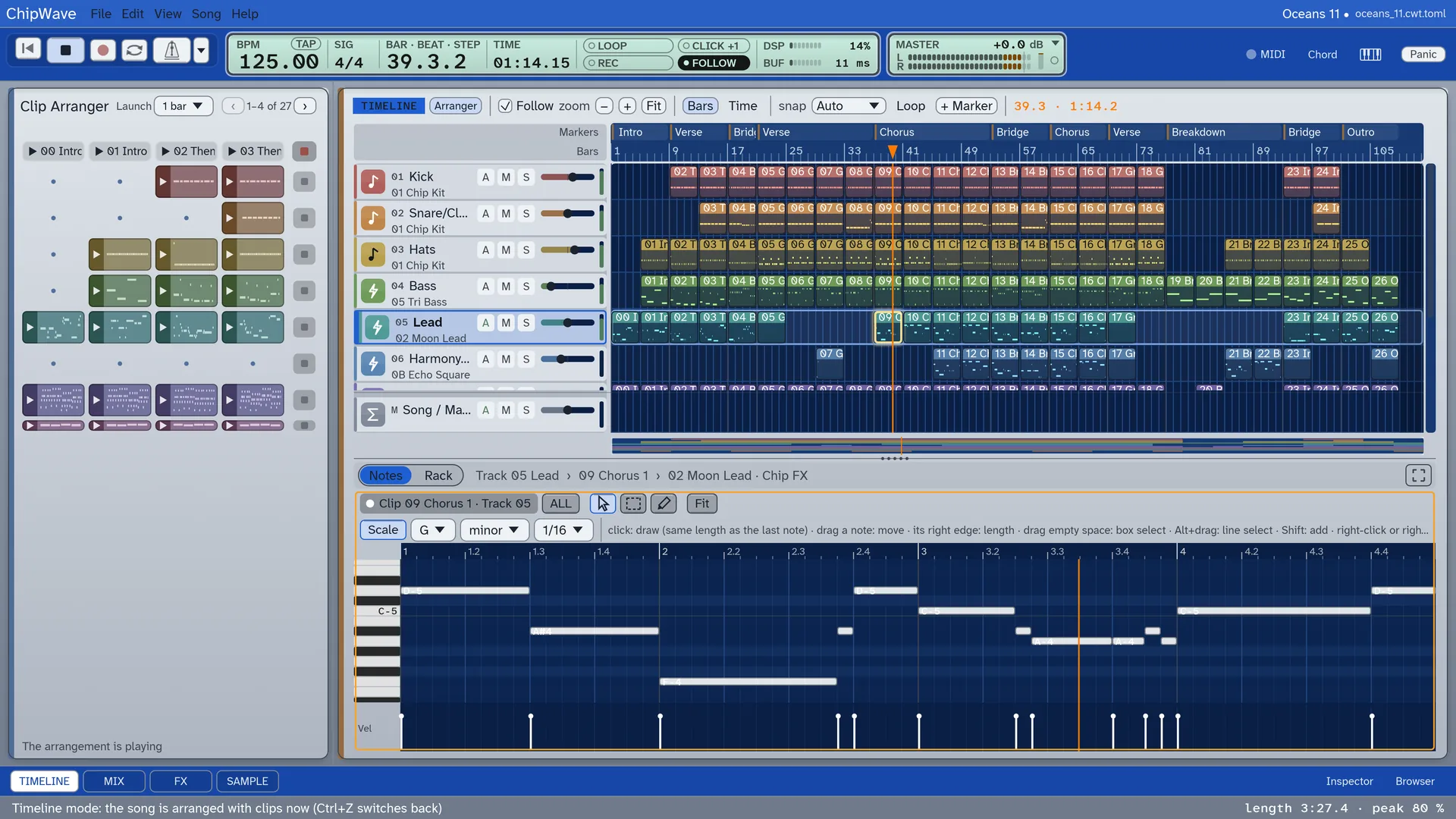
Draw, drag and stretch notes, write chords, and generate chord progressions, melodies and bass lines in the song’s key from the Generators panel. Ctrl-drag copies notes; Ctrl+C / V / D copy, paste and duplicate.
Drum Kit & step sequencer
Up to 32 pads with choke groups, a step sequencer with velocity, swing and 16 to 64 steps, a groove generator, and a library of drum patterns in the Browser.
Racks & device chains
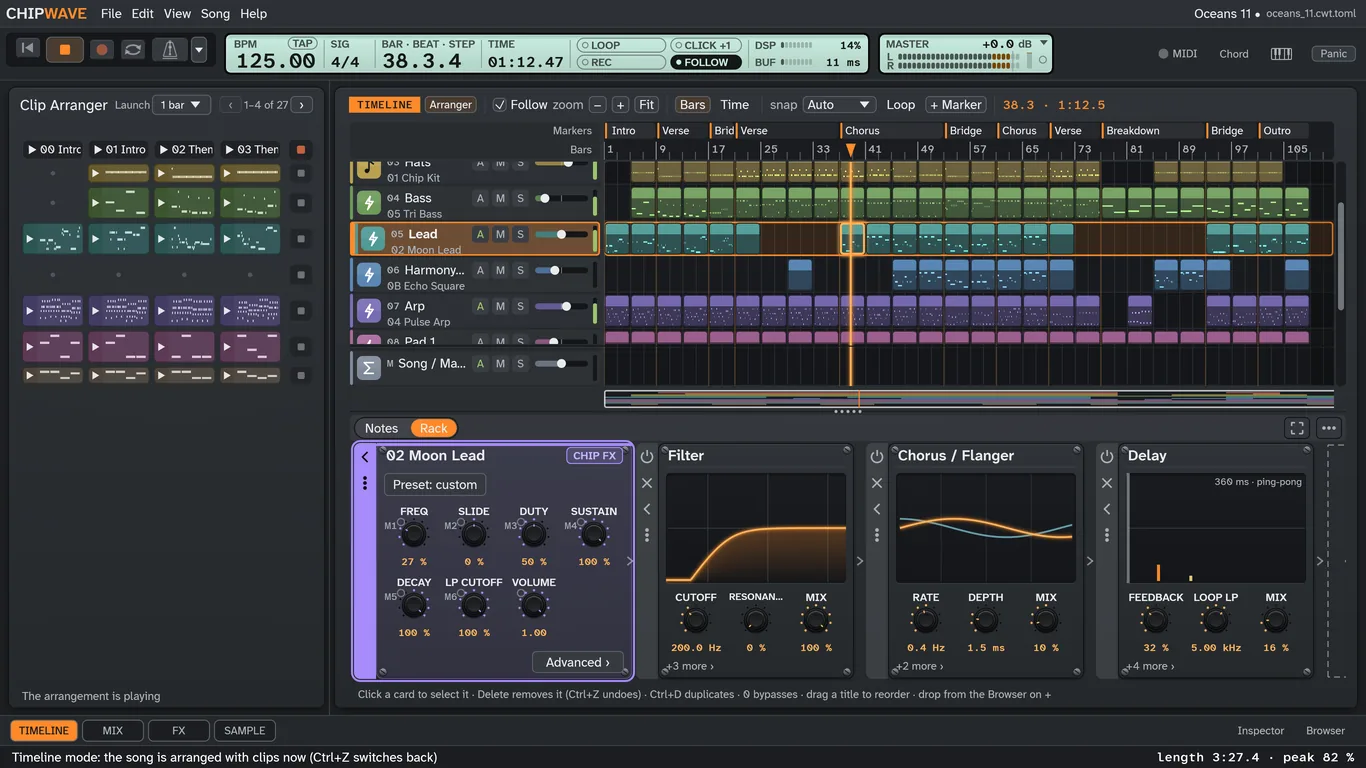
The Rack under the Timeline: the instrument and its effects in one row, with side tabs, Delete and Ctrl+D on the selected card and drag from the Browser. Split into parallel paths, racks of up to 4 layers, and your own racks saved to My Racks.
Instruments with character
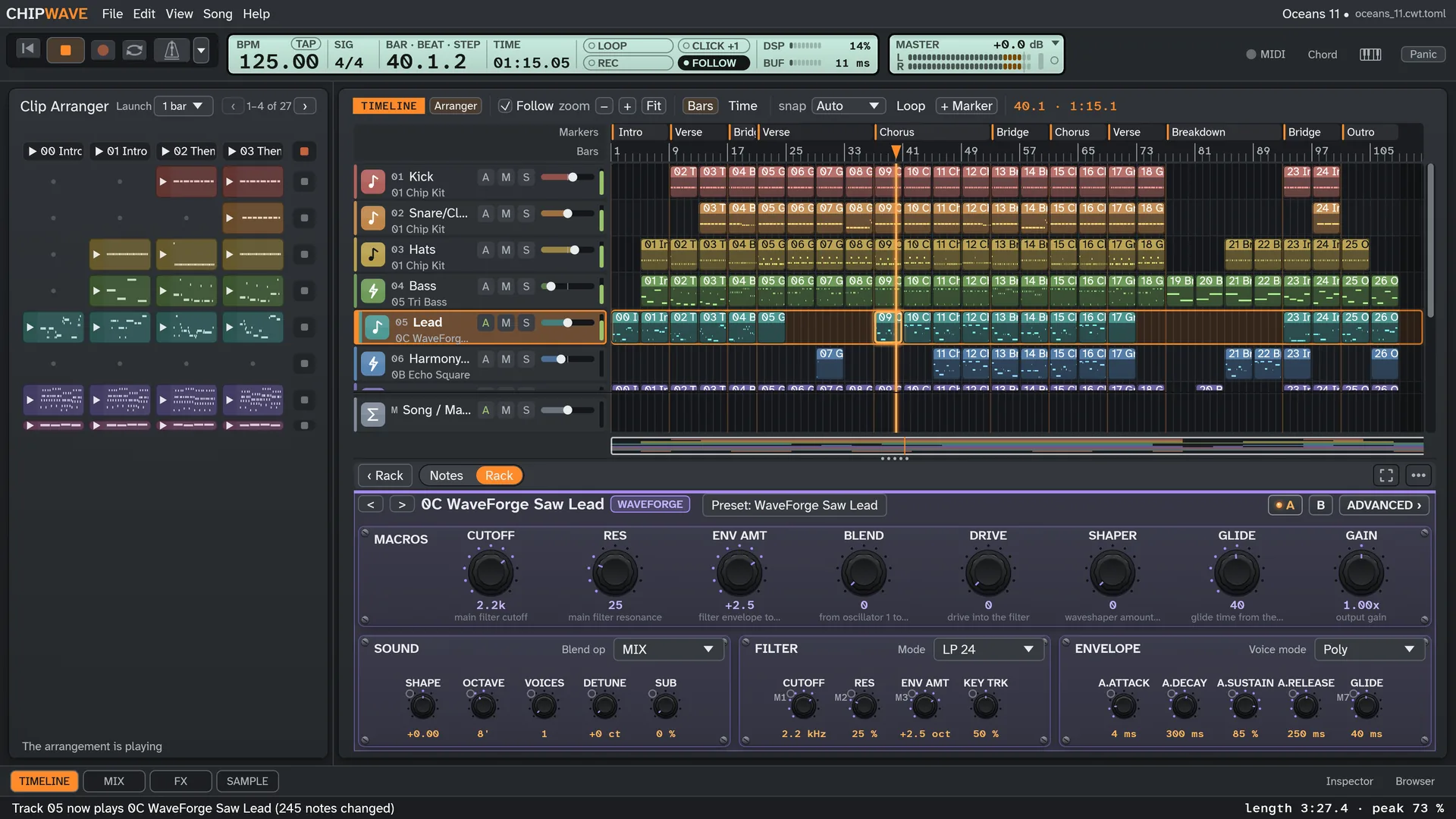
WaveForge (polyphonic), the new StringWave string ensemble, Chip FX (an sfxr port), FM-4, Analog (Moog-style), Wavetable, Grid, Noise, Drum Synth and the Drum Kit, all in Browser › ChipWave Instruments. Macro knobs, Dice, Mutate, locks and presets.
Synth with Moog ladder
Oscillators with unison and detune, SVF or Moog ladder filter (clean or vintage, 12/24 dB), ADSR, drive, 303 glide and accent, and a tempo-syncable LFO.
Voice instrument & Voice FX
Synthetic vowels, babble, stutter and spoken words, a Throat (vocal tract) mode, and Voice Transform: metallic resonance, digital distortion and heavy sub, also as FX devices for any instrument.
Effects, limiter & LUFS
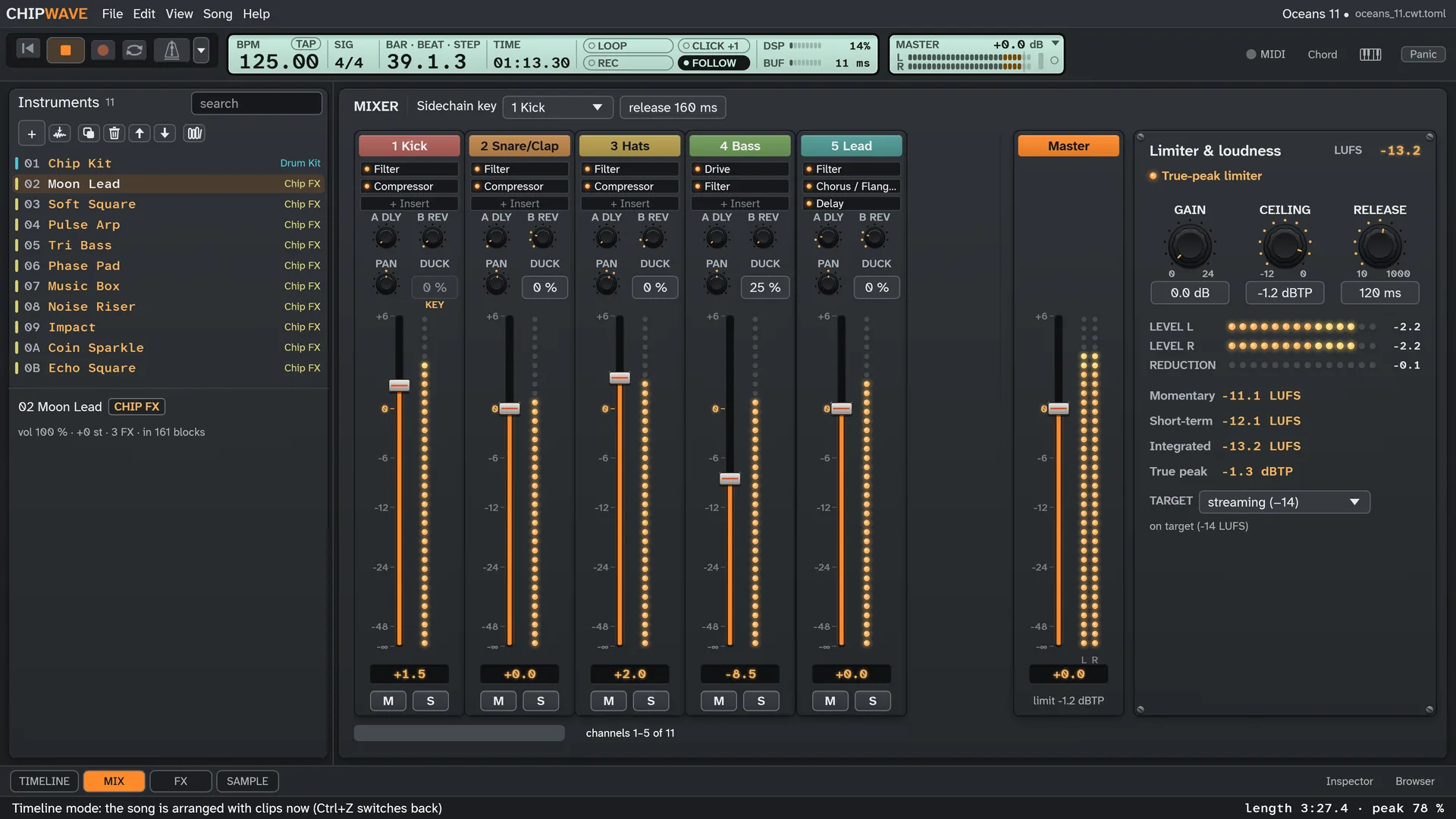
EQ, delay, reverb, drive, chorus, filter, bitcrusher, compressor, phaser and more on every instrument, a mixer with sends and sidechain ducking, a lookahead true-peak limiter and a LUFS meter. Exports use the same limiter.
Automation
Draw lanes for volume, pan, filter sweeps and effect settings under each track on the Timeline, or inside a clip so they loop with it.
VST & CLAP plugins
Instruments and effects such as Surge XT: a crash-guarded scanner, the Browser, the plugin’s own editor on Windows, a parameter list, 8 macros, automation and state saved in the song.
Lower-panel instrument editor
Every instrument edited under the Timeline with knobs on collapsible cards, four tabs, A/B compare and parameter search. F11 gives the Timeline the full height.
MIDI & recording
Play with velocity, sustain, pitch bend and key pressure (aftertouch), record live onto the Timeline with a metronome and count-in, step-input notes in the piano roll, or play your computer keyboard. MIDI-learn faders and knobs.
Demo songs
File > Demo songs: “Lumen Drift” (trance), “Hollow Ritual” (dark psytrance), “Velvet Mirrorball” (disco with Voice choir) and “Oceans 11”, a chiptune arrangement of music by Martin Galway. Press Space to play.
Themes, incl. Amiga
Slate by default, Dark Circuit, or the light Amiga Workbench Gradient theme with classic blue headers. UI scaling in 25 % steps.
WAV & MP3 export
Export your song as WAV or MP3 with ID3 tags. Songs save as open .cwt files with autosave, backups and crash recovery.
Also included: sample import with loop points, chop / slice, instrument library, Fill to length auto-arrange, remappable keys and an update check.
Sound design under the Timeline
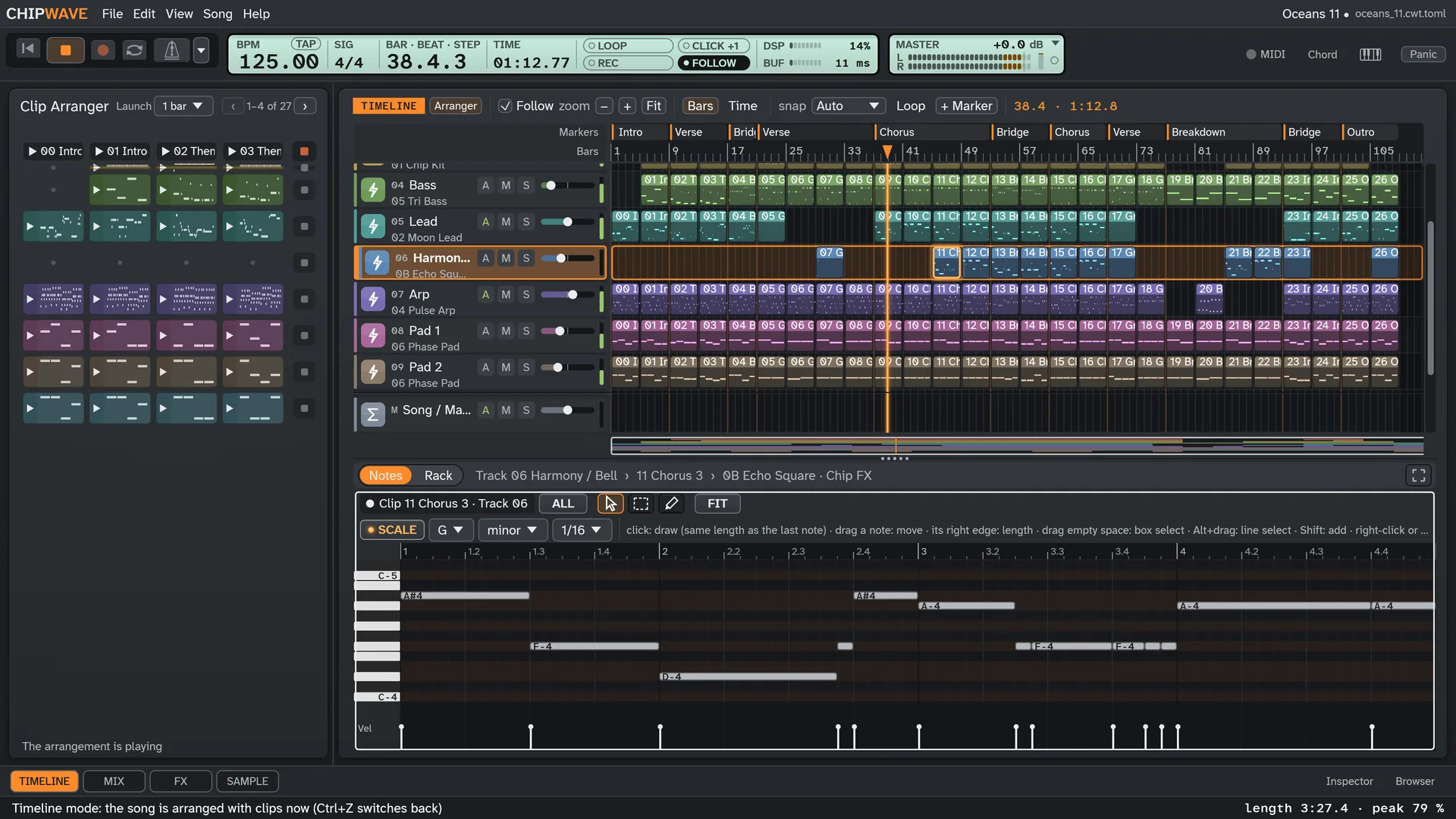
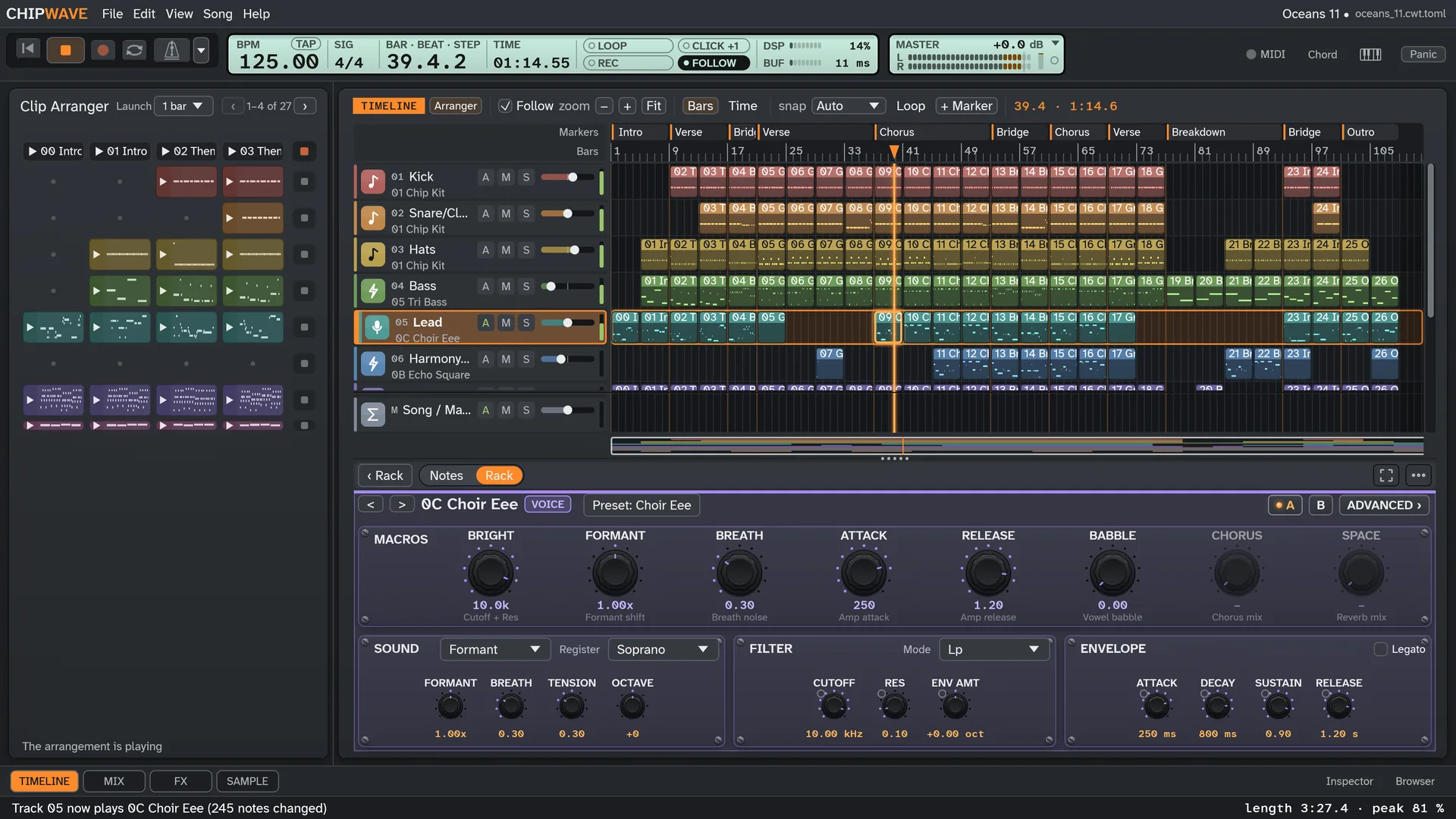
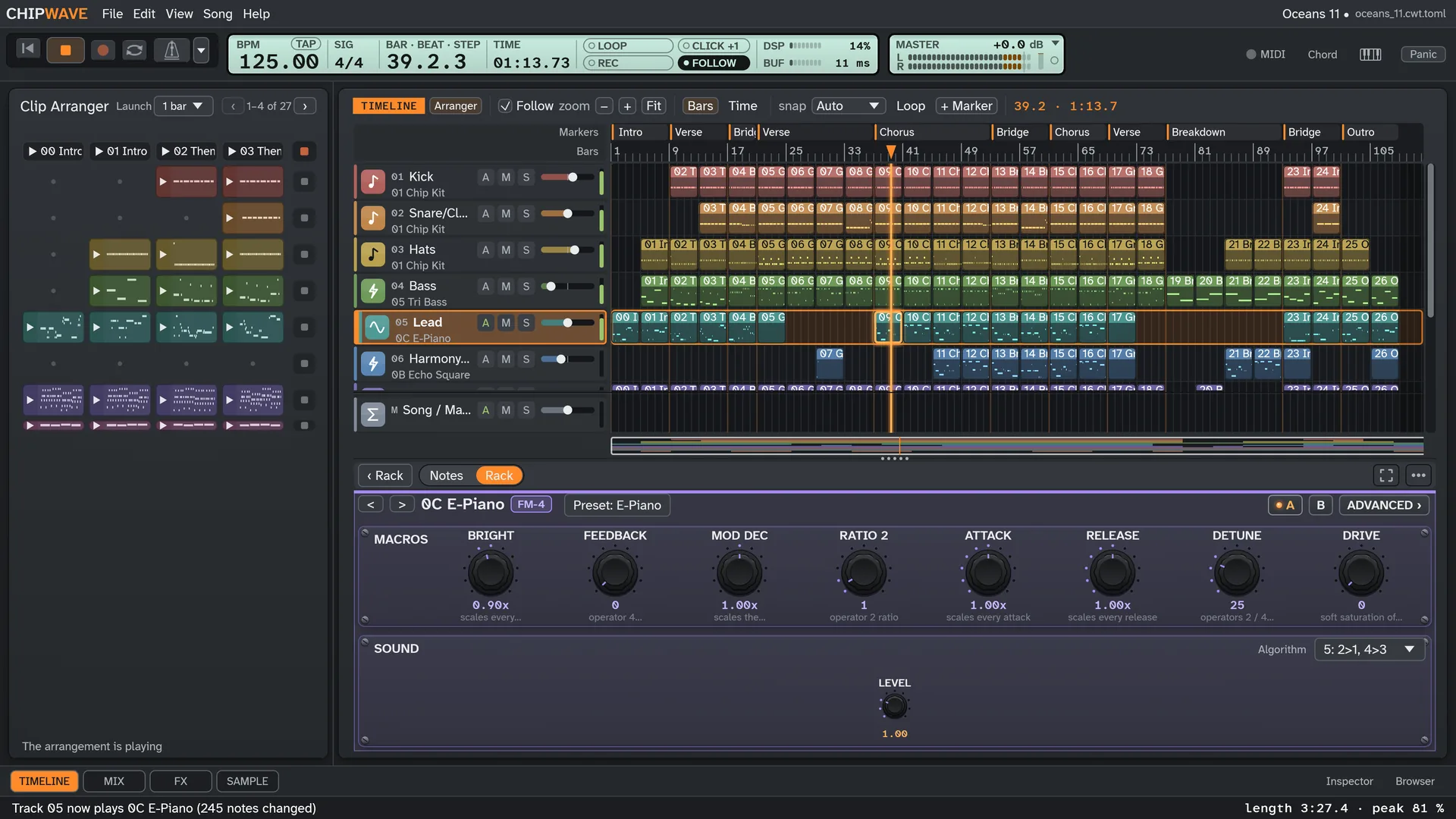
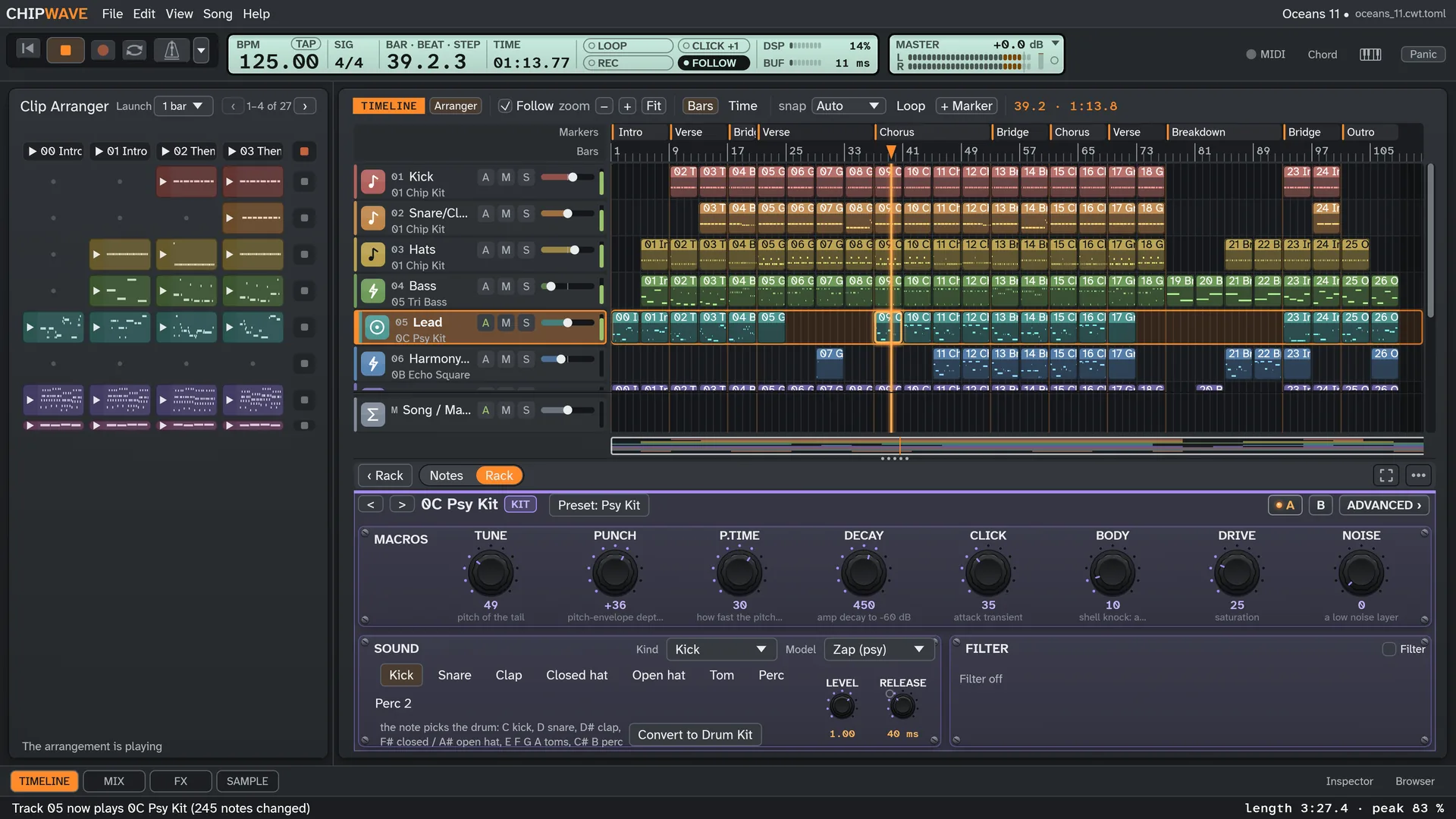
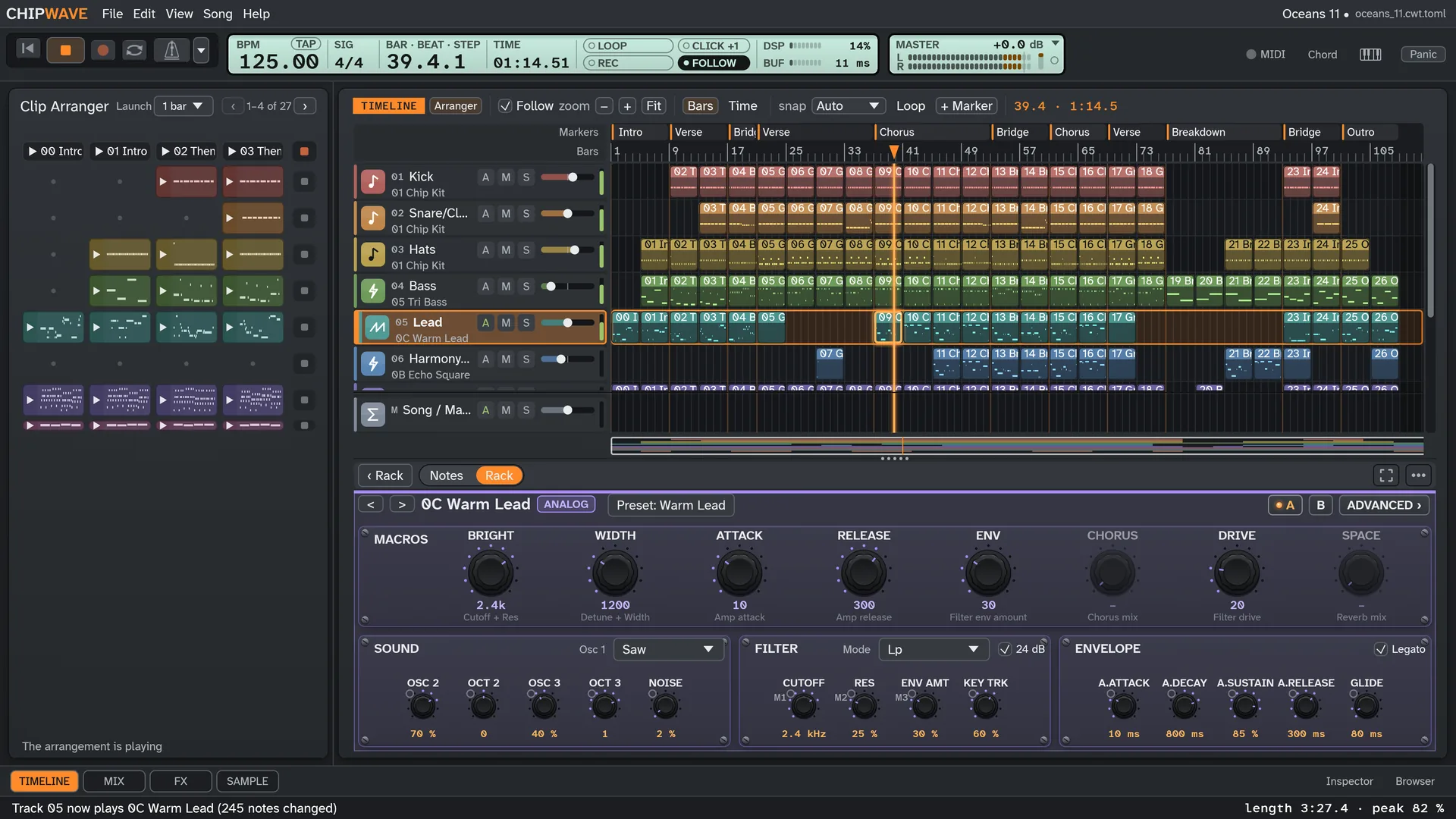
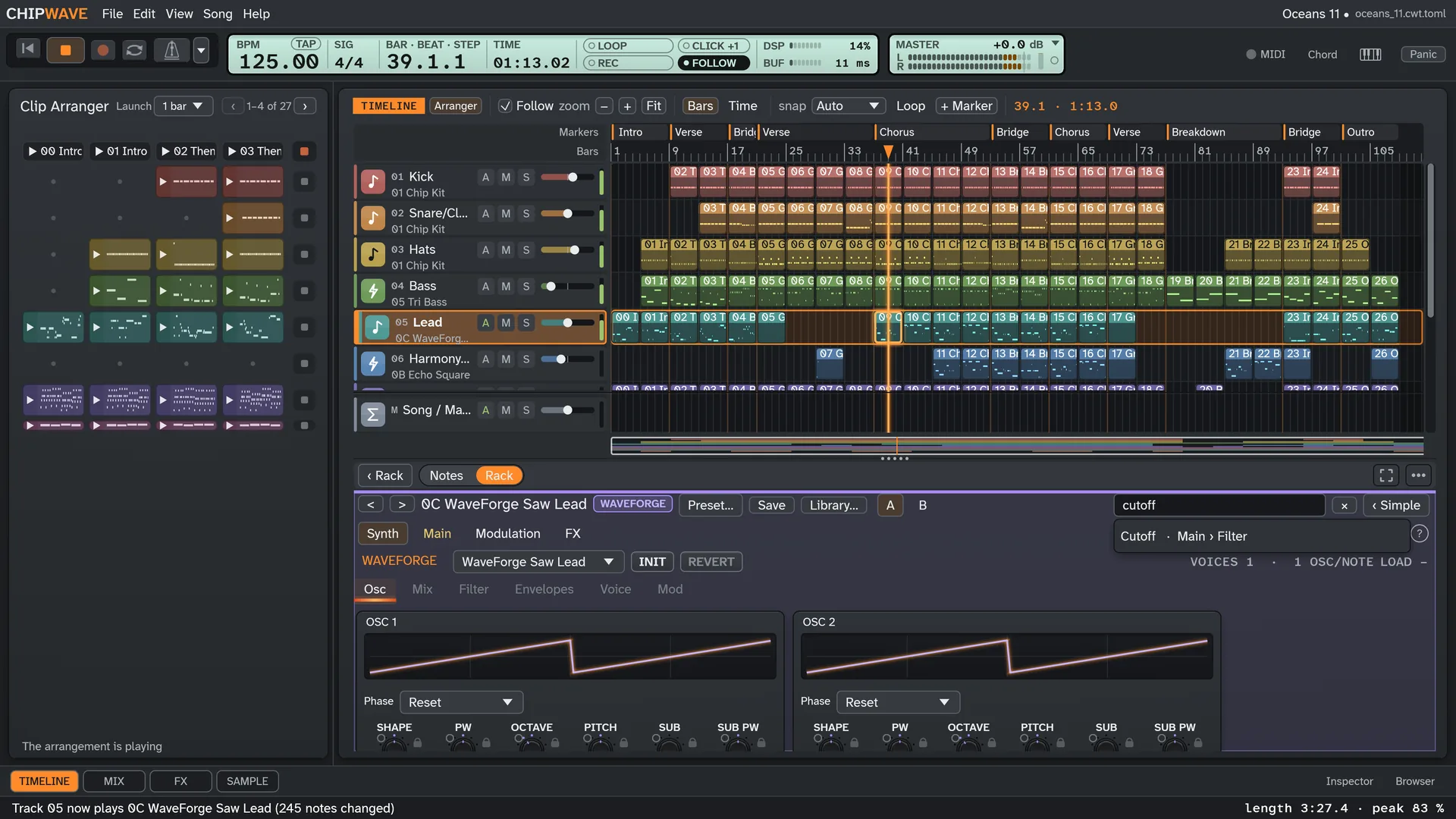
The instrument editor lives in the lower panel, so the Timeline stays on screen while you shape a sound. It works for every instrument: synth, sample, Voice, generators, Chip FX and plugins.
- Knob cards side by side, collapsible, with small envelope, filter and wave pictures, in the violet look of ChipWave's own instruments.
- Four tabs: Main, Modulation, FX and Advanced, plus presets and A/B compare.
- Parameter search with Ctrl+F. Drag a knob, Ctrl-drag for fine steps, double-click for the default, right-click to automate or MIDI-learn.
- One panel, one switch: Notes | Rack, resized with the splitter, and it keeps one height when you switch. Advanced › on the Rack's instrument card opens the full editor.
- Full-height view: F11 hides the lower panel when you just want the whole Timeline.
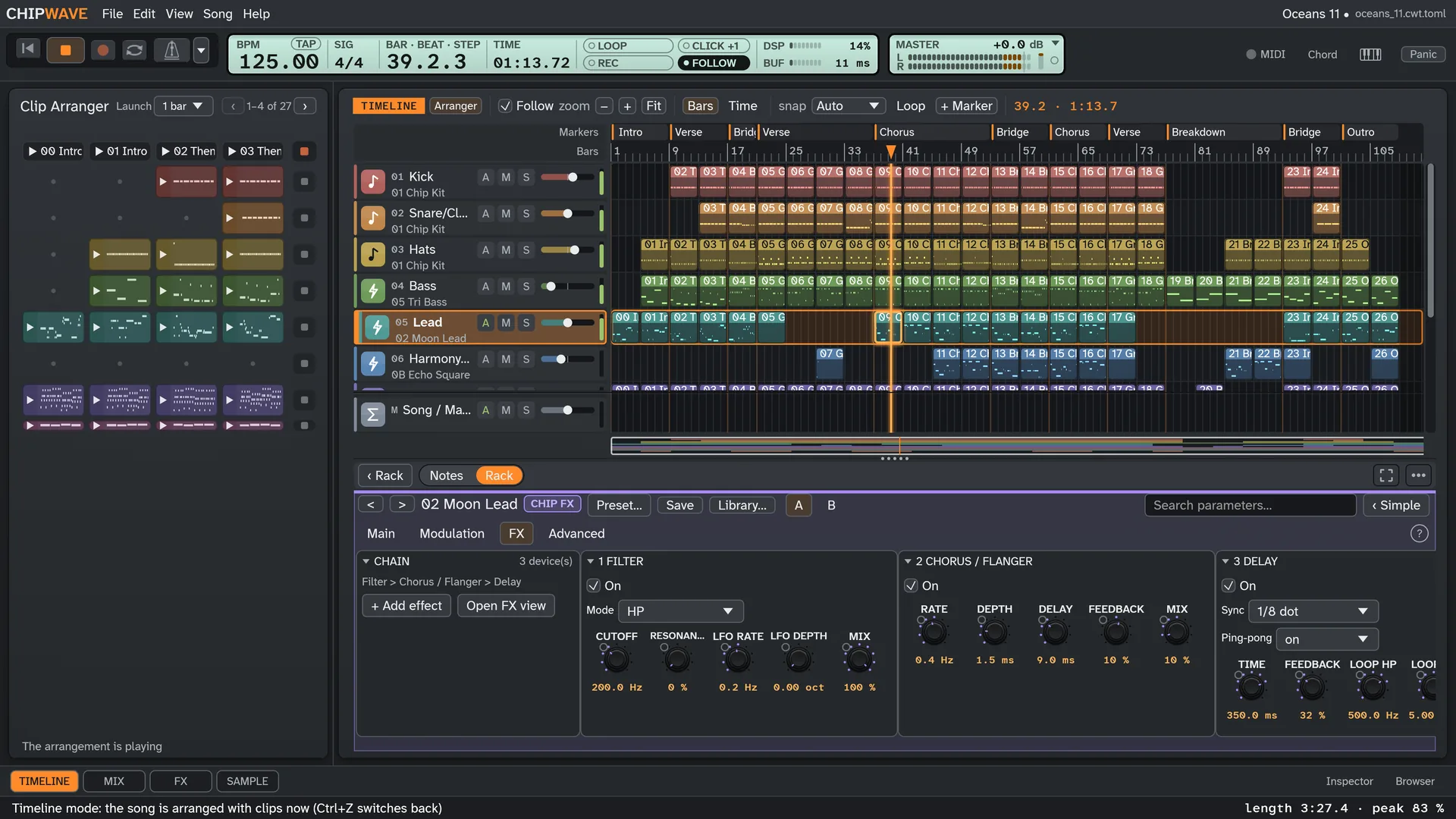
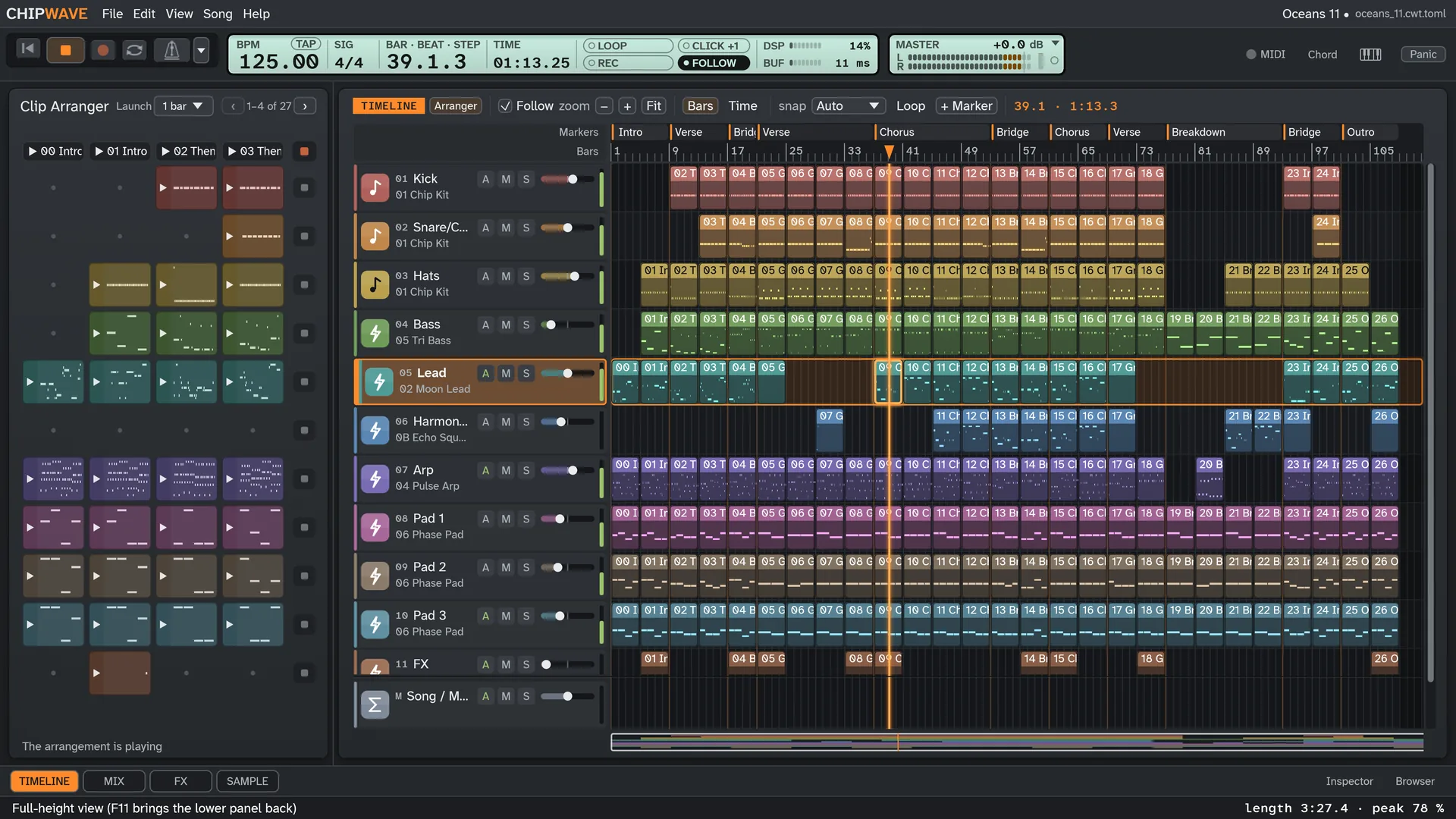
See it in action
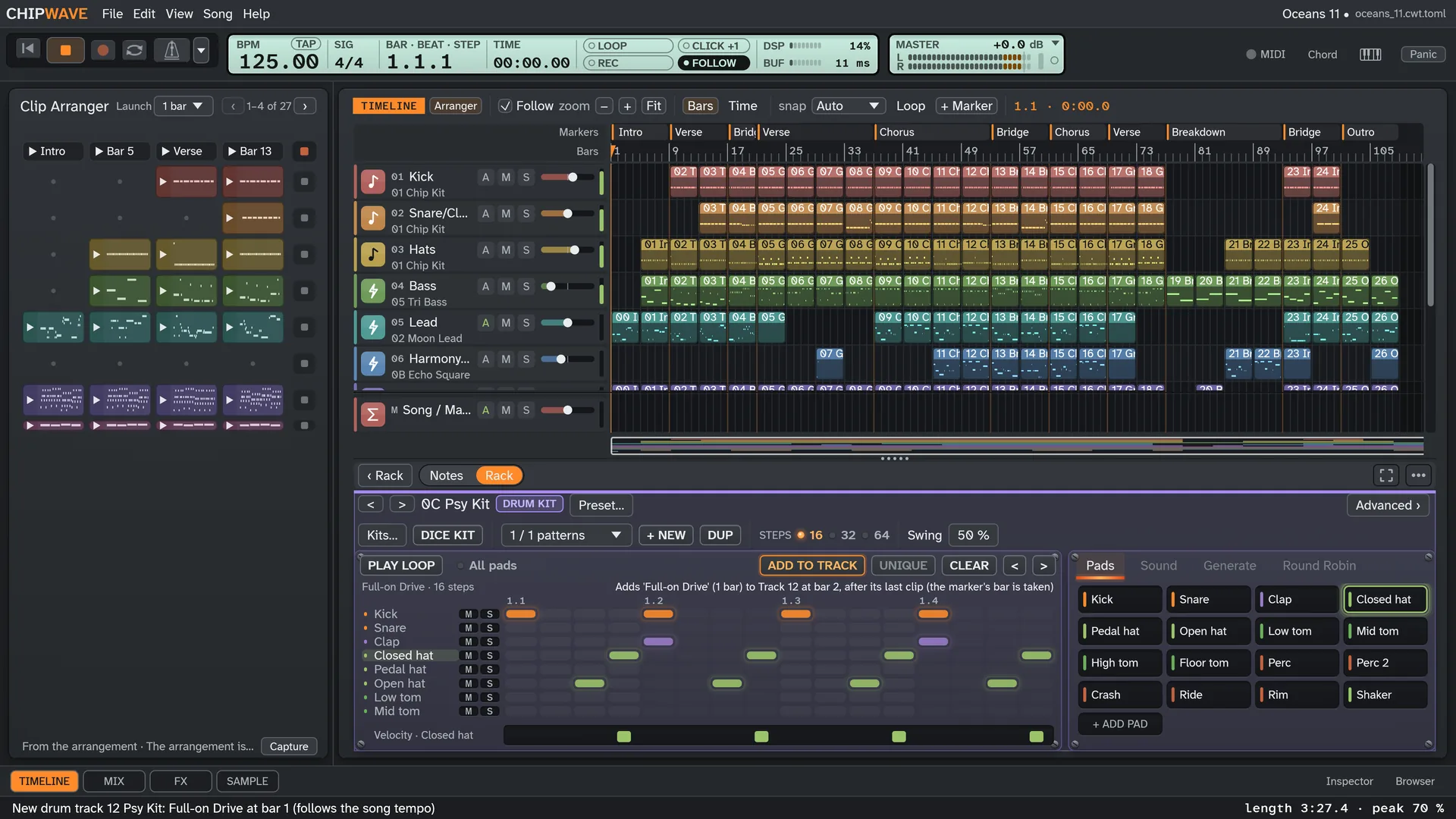
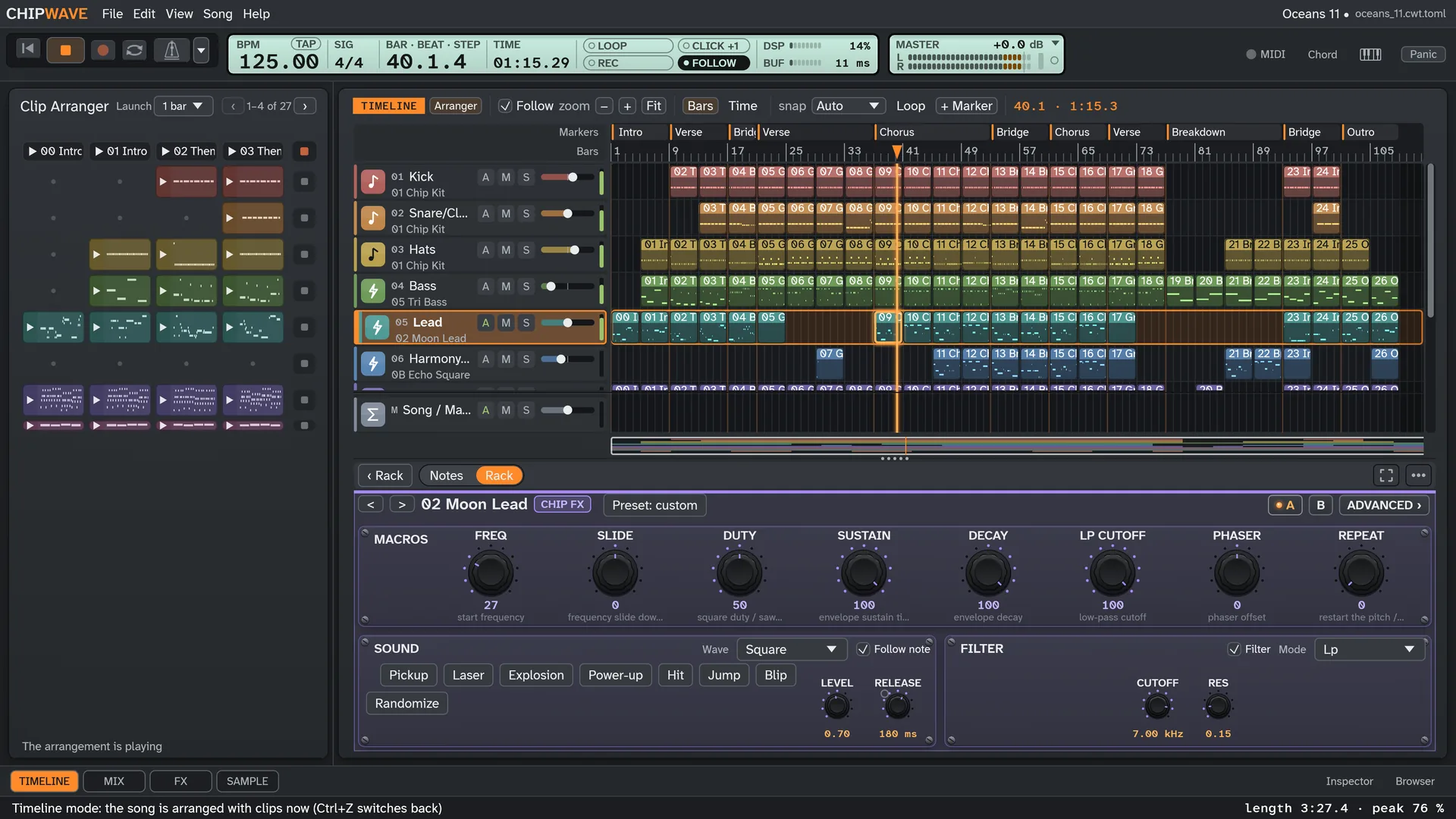
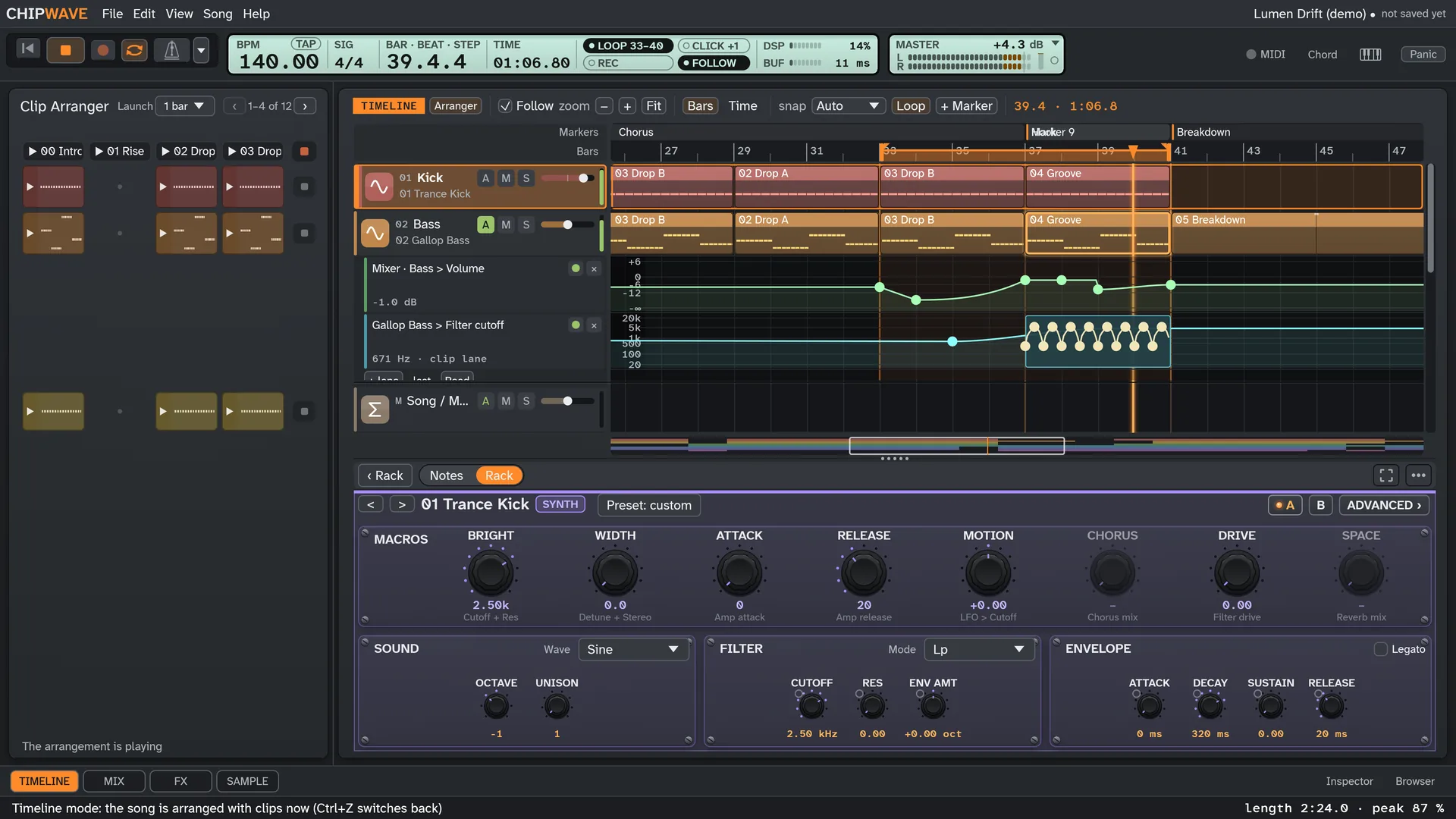
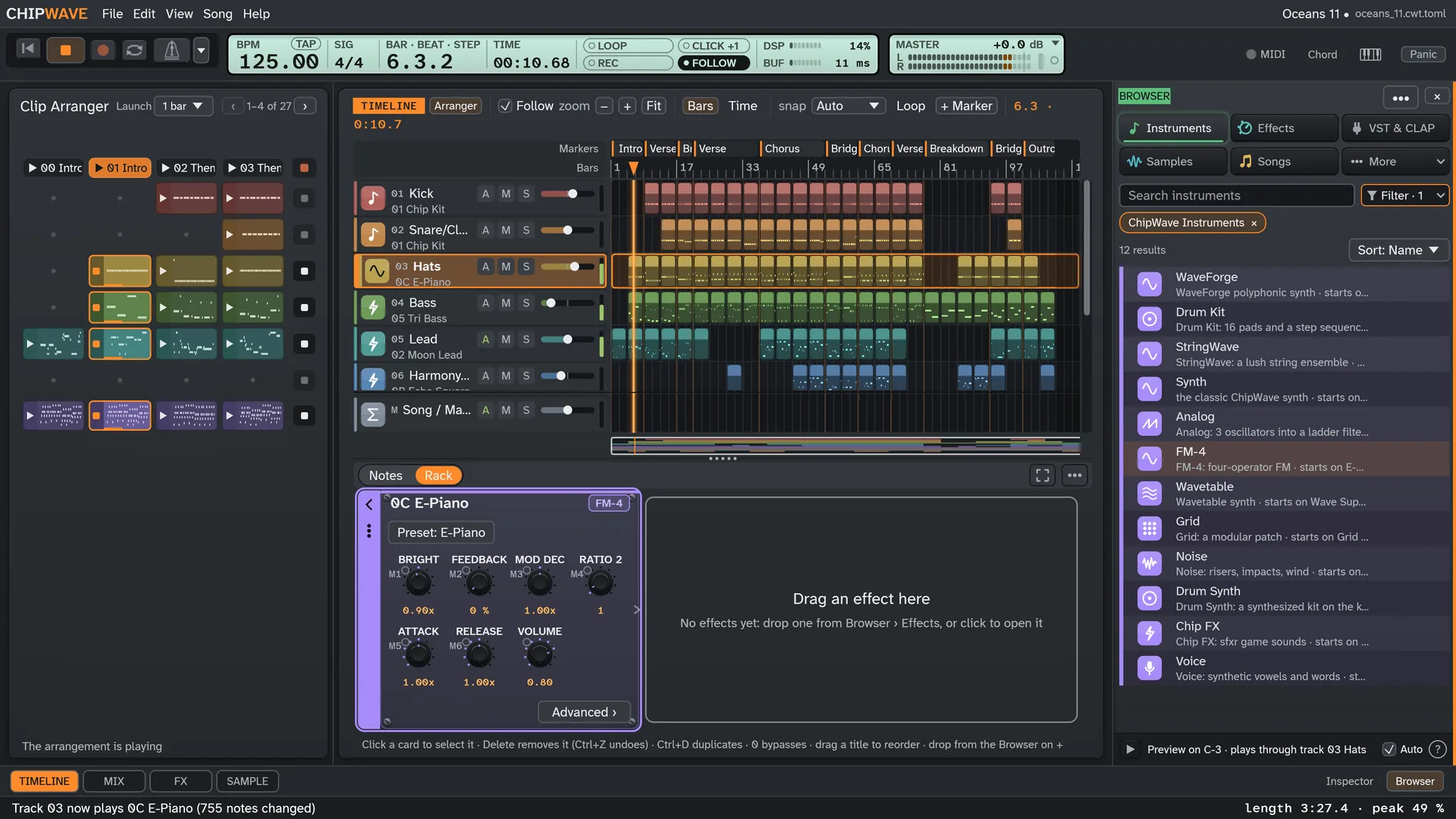
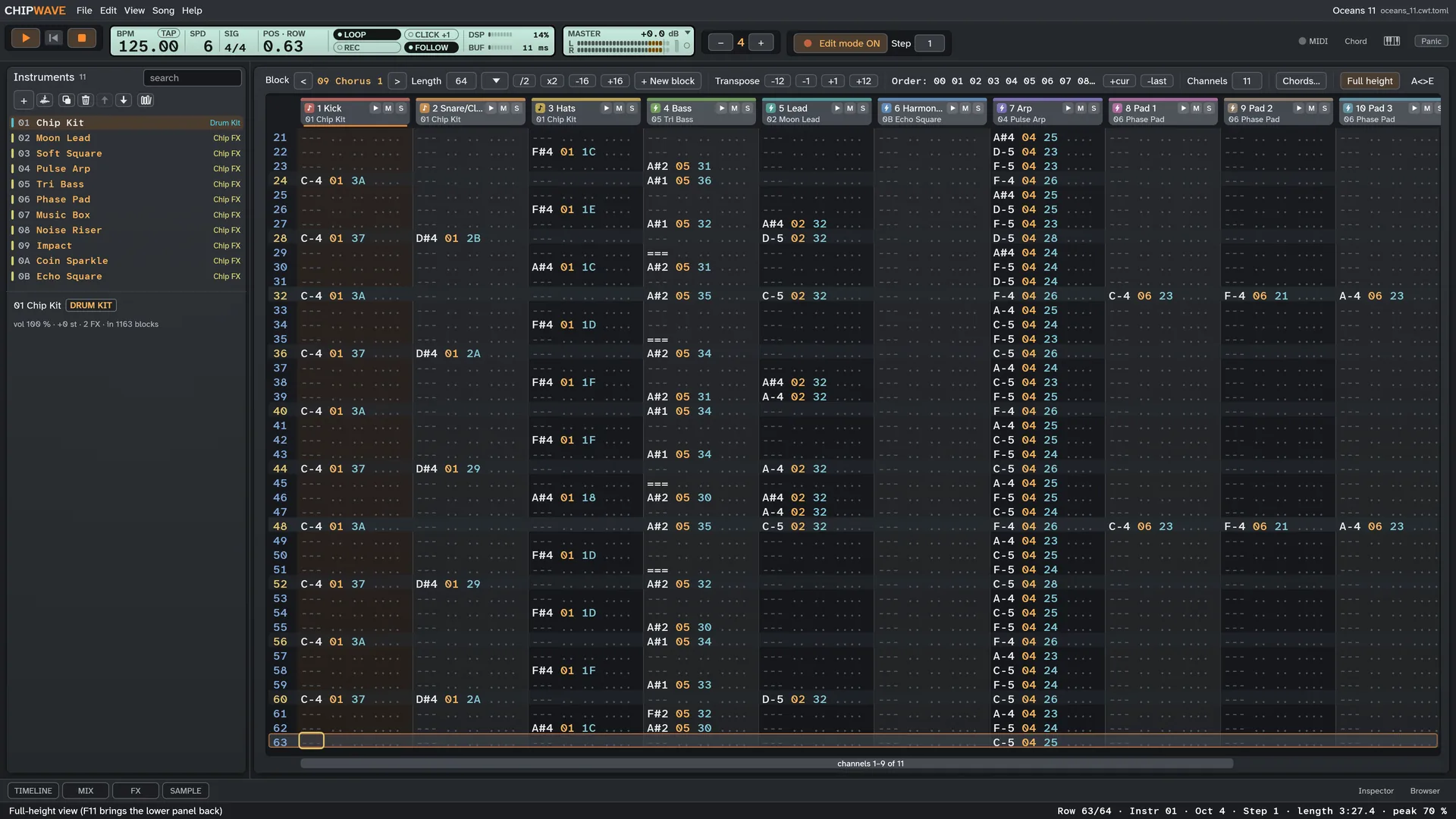
Real screenshots of ChipWave Studio, no mock-ups, playing the built-in demo songs.
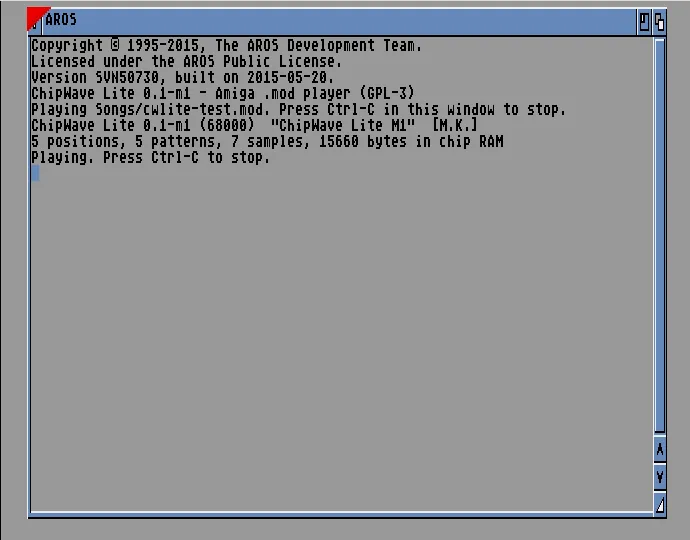
ChipWave Lite for the Amiga
A small native tracker for AmigaOS 3.x, built for the A500 (68000) and the A1200 (68020) from the same source. The first milestone, a .mod player, already runs under emulation.
- Four channels on Paula with ProTracker-style replay.
- OctaMED-style pattern editor with the same Z–M keys as the PC version (planned for v0.1).
- Swap songs with PC ChipWave through ProTracker
.modfiles. - Workbench look, shipped as a bootable
.adfand an.lha, ready for WinUAE or real hardware.
Download ChipWave Studio free
Latest release v0.2.20.0. These links always fetch the newest version. Already installed? Help > Check for updates… offers it. All files and SHA256 checksums.
Windows
64-bit installer, or a portable zip. Opens with a demo song: press Space to play.
Installer (.exe) Portable (.zip)Linux
Build from source with Rust. On Debian/Ubuntu you also need libasound2-dev.
git clone https://github.com/postmanpat-303/ChipWaveStudio
cd ChipWaveStudio
cargo run --release
🛡 Not code-signed yet. On Windows, if SmartScreen appears, click More info → Run anyway. On a Mac, open it the first time with Control-click → Open (details).
FAQ
Quick answers. The documentation has the rest.
Is ChipWave Studio really free?
Yes. ChipWave Studio is a free music studio and sequencer, released as free software under the GNU GPL v3. There's no account, trial or paid tier. If you enjoy it, a coffee helps keep it going.
Which systems does it run on?
64-bit Windows (installer or portable zip), macOS 11 or later as a universal app for Apple Silicon and Intel, and Linux by building from source with Rust.
Is this the same app as ChipWave Tracker?
Yes. ChipWave Tracker was renamed ChipWave Studio in version 0.2.4.0, to tell it apart from an unrelated iOS app called ChipWave. Your settings, songs and instruments carry over, the installer updates an existing ChipWave Tracker install in place, and old GitHub links redirect here.
Do I need to know how to use a tracker?
No. ChipWave works like a modern sequencer: clips on a Timeline, a piano roll, a Drum Kit step sequencer and knob-based instruments. For those who love the classic way, there’s an optional Tracker view with an OctaMED-style pattern editor and the Z–M keys. The demo songs are a good way in: open one from File > Demo songs and press Space. F12 shows every key.
Can I use plugins?
Yes. CLAP and VST3 instruments and effects, such as Surge XT, with a crash-guarded scanner, parameter list, 8 macros, automation and state saved in the song. The plugin’s own editor opens on Windows; on Linux and macOS you use the parameter list.
Can it open MOD or MED files?
Not yet. MED and MOD loading are on the roadmap. ChipWave saves its own .cwt songs, a ZIP of TOML and WAV files you can inspect, and exports WAV and MP3.
Can I use a MIDI keyboard?
Yes. Play the selected track’s instrument with velocity, sustain, pitch bend and key pressure (aftertouch), record live onto the Timeline with a metronome and count-in, step-input notes in the piano roll, MIDI-learn faders and knobs, and import .mid files as note clips. No keyboard? Musical typing turns your computer keys into one.
Windows or macOS warns me when I open it. Is it safe?
The builds aren't code-signed or notarised yet, so the system warns about an unknown publisher. On Windows click More info → Run anyway; on a Mac Control-click the app and choose Open. Every release has a SHA256SUMS.txt so you can check your download, and the full source is on GitHub.
How do I get updates?
Use Help > Check for updates…, or turn on the quiet check at startup. The download links on this page always point to the newest release.
Built on open source
ChipWave stands on the shoulders of open source and published research. Thank you to these projects and their creators. Licences are in THIRD_PARTY_LICENSES.txt with every download, and the full list is in the README.
- StringWave Del (postmanpat) · MIT · the StringWave string-ensemble instrument
- Martin Galway the great Commodore 64 composer · his music in the “Oceans 11” demo, arranged by Del (postmanpat)
- egui / eframe Emil Ernerfeldt and contributors · MIT/Apache-2.0 · the UI
- cpal RustAudio · Apache-2.0 · audio output
- midir MIT · MIDI input
- hound, toml, zip WAV files and the
.cwtsong format - LAME via mp3lame-encoder LGPL · MP3 export
- CLAP Alexandre Bique and the free-audio project · MIT · the plugin standard ChipWave hosts
- clap-sys micahrj · MIT/Apache-2.0 · CLAP bindings
- clack, Carla, Ardour Adrien Prokopowicz, Filipe Coelho (falkTX) · host design references
- libloading, windows-sys Simonas Kazlauskas (ISC), Microsoft (MIT/Apache-2.0) · plugin loading and editor windows
- sfxr via sfxr-rs Tomas Pettersson (DrPetter), Teemu Erkkola · MIT · the Chip FX generator
- Mutable Instruments Plaits Emilie Gillet · MIT · Voice design and drum models
- Pink Trombone Neil Thapen · MIT · the Voice Throat mode
- DaisySP Electrosmith, Richard van Hoesel, Infrasonic Audio · MIT · ladder filter and drum references
- fundsp, MoogLadders Sami Perttu, Dimitri Diakopoulos · Moog ladder cross-checks
- Sonic Pi sc808 Sam Aaron and contributors · MIT · Drum Synth recipes
- Antialiasing oscillators in subtractive synthesis Vesa Välimäki, Antti Huovilainen · polyBLEP · Analog and WaveForge oscillators
- The Art of VA Filter Design Vadim Zavalishin · zero-delay state-variable filters · synth, WaveForge and Phaser
- Atkinson Hyperlegible Next, Atkinson Hyperlegible Mono, Inter Braille Institute of America, Rasmus Andersson · SIL OFL 1.1 · interface fonts (Inter for symbols, Greek and Cyrillic)
- Vital, Surge XT Matt Tytel, Surge Synth Team · GPL-3 · Analog generator ideas
- Dexed, MSFA Pascal Gauthier, Raph Levien · FM-4 generator references
- SuperCollider Dust generators · the Noise generator
- Csound The Csound community · LGPL-2.1 · vowel formant table
- libebur128, pyloudnorm Jan Kokemüller, Christian Steinmetz · MIT · K-weighting formulas
- Signalsmith limiter Geraint Luff · the master limiter design
- OctaMED Teijo Kinnunen and Ray Burt-Frost · the classic workflow behind the optional Tracker view
- PhotoCraft storytold · inspired the look of the Wave family icons
Keep ChipWave going
ChipWave Studio is made by Del (postmanpat) and will stay free. To keep the software going I need coffee :)
Part of the Wave family: BigWave Radio · StreamWave · ChipWave Studio