Free and open source

All the Wave apps.
One friendly hub.

Wave Hub installs, updates and opens BigWave Radio, ChipWave Studio and StreamWave in one click, straight from their official releases. For Windows, Linux and Mac.

Always the latest release · Windows 10 and later · Linux x86_64 and ARM64 · Mac (Apple Silicon and Intel) · all downloads
No account, no ads, no tracking. MIT licence.

Three free apps, one place to get them

Wave Hub looks after these apps for you. Pick one, click Install, and it's ready to open.

BigWave Radio icon: a howling wolf with sound waves on green

BigWave Radio

Free internet radio with mood chips, plugins and a visualiser. Thousands of stations, one tap away.

WindowsLinuxMac
ChipWave Studio icon: an engraved dragonfly on blue

ChipWave Studio

A modern OctaMED-inspired music tracker. Write patterns, build songs and play them back live.

WindowsMacLinux: build from source
StreamWave icon: a humpback whale breaching a wave on orange

StreamWave

Record and edit audio for streams and podcasts, with OBS sync and one-click Studio Sound.

WindowsLinuxMac

When an app adds a download for your computer, its card in Wave Hub switches on by itself. No Wave Hub update needed.

Everything just works. Nothing to fiddle with.

One click, no command line, no hunting for the right file.

⚡

One-click install

Wave Hub picks the right file for your computer, downloads it with live progress and gets it ready to open.

🔄

Update all

It checks for new versions when it starts. One button brings every app up to date.

🧹

Uninstall and repair

Remove an app cleanly; your settings stay. If an app's files go missing, Repair puts them back.

🛡

Checksum-verified

Every download is checked against the release's SHA-256 list before it's installed. A bad download is never installed.

🚀

Keeps itself current

Wave Hub tells you when a new Wave Hub is out and links straight to the right download for your computer.

🔍

Finds what you have

Already installed an app yourself? Wave Hub spots it (Windows setups, Linux packages, Mac Applications) and looks after it too.

🏠

Your own folders

Apps install in your home folder on Linux, your Applications folder on Mac and your user folder on Windows. The Windows setup installs Wave Hub for everyone on the PC and asks for an administrator password; the portable zip and the other downloads need none.

🌗

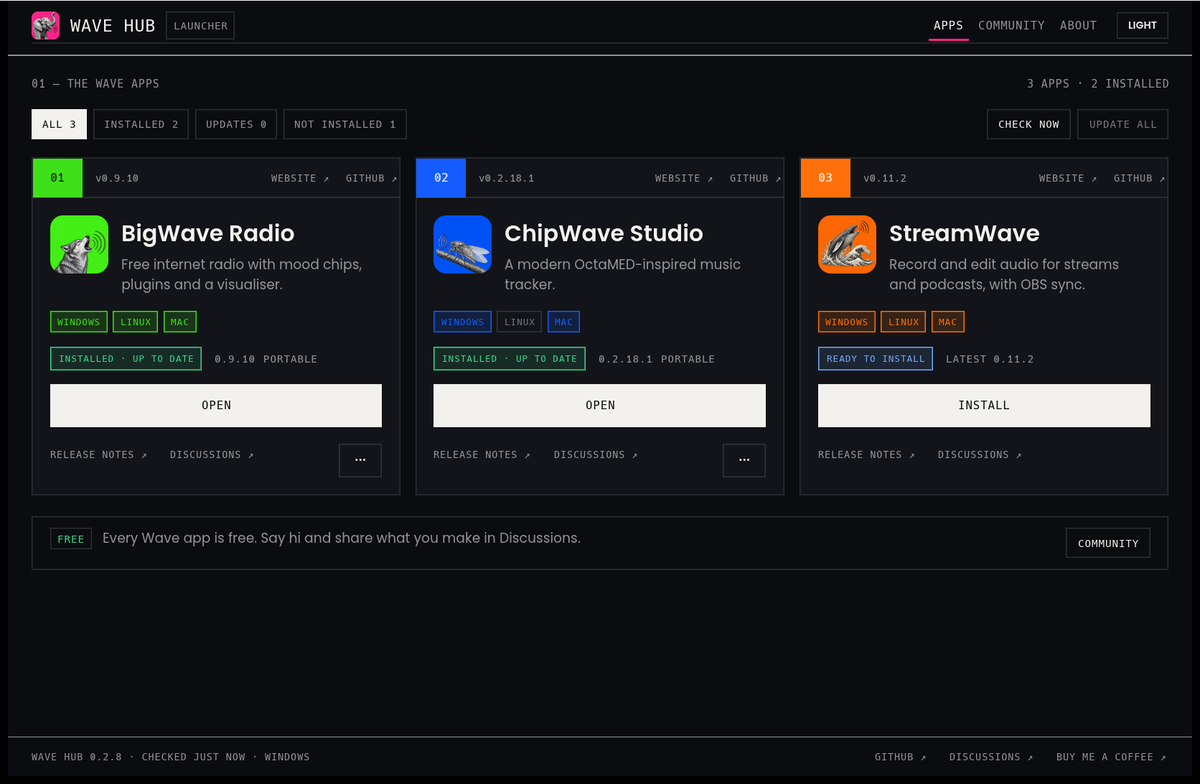
Light or dark

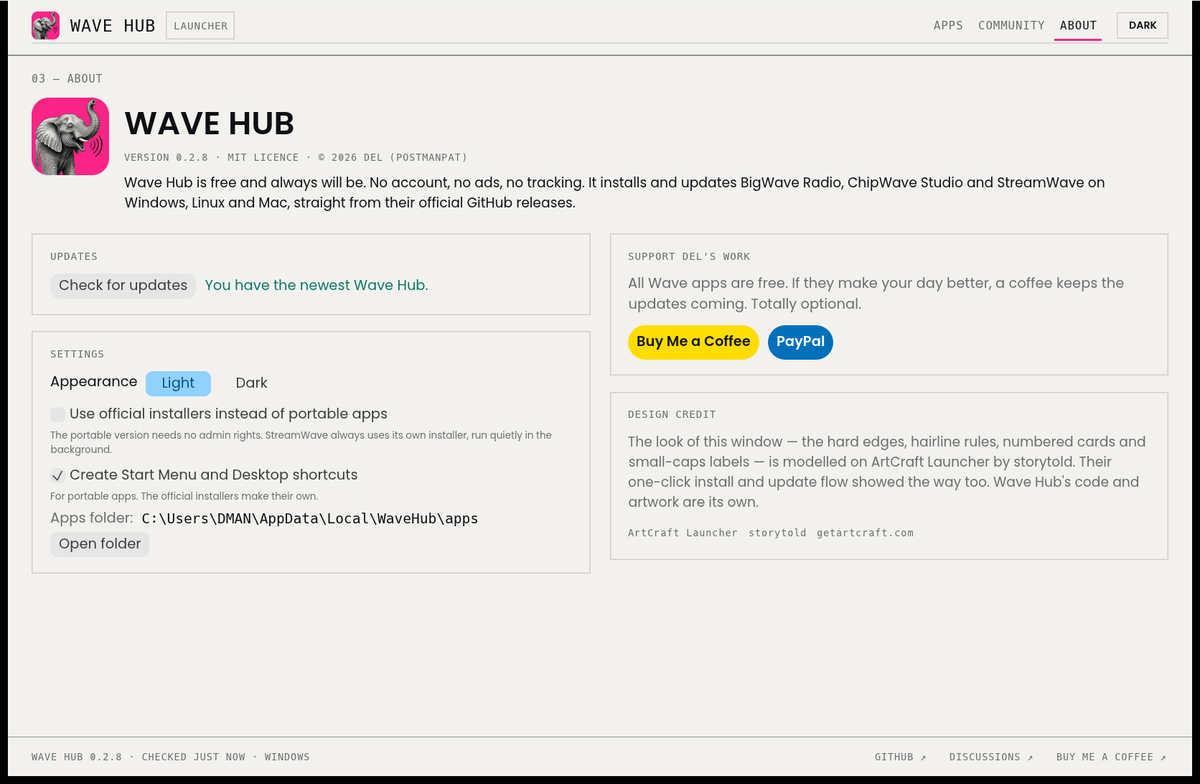
Bright and friendly by default, with a dark theme one click away on the About page.

See it in action

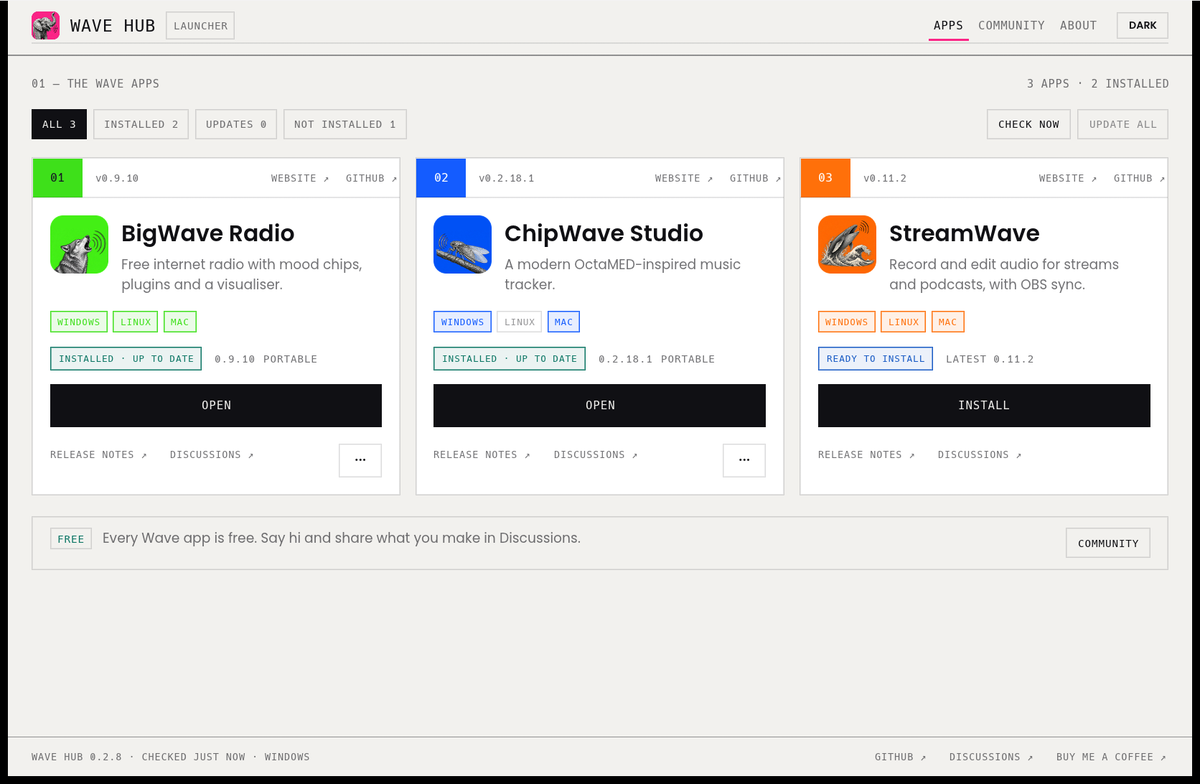
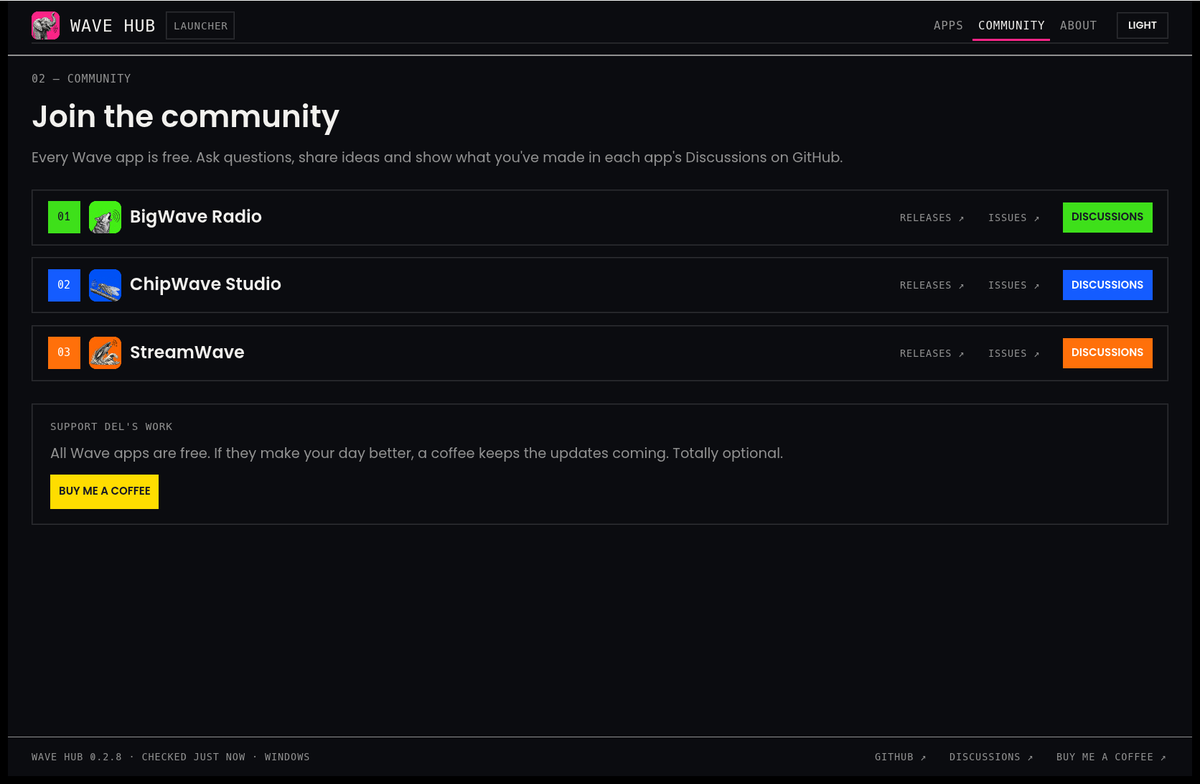
Real screenshots of Wave Hub 0.2.8 on Windows: a warm-paper light theme and a printer's-ink dark one.

Wave Hub in the light theme: numbered cards for BigWave Radio, ChipWave Studio and StreamWave, each with its own colour, platform labels, status and one big Install or Open button
Every app at a glance. What's installed, what's new, and one big button for each.

Safe by design

Wave Hub only does what it says, and you can read every line of it.

  • Official releases only: apps come straight from their own GitHub release pages, nowhere else.
  • Checked before installing: each file's SHA-256 checksum must match the release's list (SHA256SUMS.txt or SHA256SUMS).
  • Your settings stay: uninstalling an app leaves your settings alone, and apps you installed yourself are found, not moved.
  • No account, no tracking: Wave Hub only talks to GitHub to check versions and download files.
  • Open source: MIT licensed and written in Rust. Read the code.

Download Wave Hub

Free, for Windows, Linux and Mac. Every button downloads the newest version, so it's never out of date. Other files (portable zip, .deb, .rpm, Arch, Flatpak, ARM) are on the latest release page.

🪟WindowsYour computer

Windows 10 and later, 64-bit.

  • WaveHub-…-setup-x64.exe: the easy one, installs for everyone on the PC (asks for an administrator password)
  • WaveHub-…-windows-x64.zip: no install, unzip and run (no admin password)
Get the Windows setup

🐧LinuxYour computer

Regular PCs (x86_64) and 64-bit ARM, such as a Raspberry Pi 4 or 5.

  • .flatpak: any Linux with Flatpak · the x86_64 bundle
  • .AppImage: any Linux, make it runnable and go (64-bit ARM: aarch64 AppImage)
  • .deb Ubuntu, Debian, Mint · .rpm Fedora, openSUSE
  • .pkg.tar.zst Arch, CachyOS, Manjaro · .tar.gz anything else
Get the Linux AppImage (x86_64)

🍎MacYour computer

One app for Apple Silicon and Intel Macs.

  • WaveHub-…-macos-universal.dmg: open it, drag Wave Hub to Applications
  • WaveHub-…-macos-universal.zip: the same app, zipped
Get the Mac dmg

🛡 Wave Hub isn't code-signed yet. If Windows says it protected your PC, choose More info → Run anyway. On a Mac, the first time, right-click Wave Hub and choose Open.
Check any download against SHA256SUMS.txt.

Thank you, storytold

Wave Hub was inspired by storytold's ArtCraft Launcher and their Craft apps. Their one-click install and update flow showed the way. Wave Hub's code and artwork are its own.

Free, and always will be

Wave Hub and every Wave app are free. If they make your day a little better, a coffee keeps the updates coming. Totally optional.